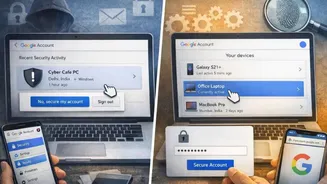
Strong Passwords Rule
The initial step in establishing robust online protection involves the creation of strong, unique passwords. Avoid using easily guessable information such
as birthdays or names. Instead, craft passwords that are a combination of upper and lower case letters, numbers, and symbols. Employing a different password for each online account is crucial. This way, if one password gets compromised, the attacker does not gain access to all your accounts. Consider using a password manager; these tools securely store and generate complex passwords, streamlining the management process. Regularly update your passwords, especially those associated with sensitive accounts like banking or email. This helps reduce the risk of unauthorized access.
Beware Phishing Attempts
Phishing is a deceptive tactic where malicious actors impersonate legitimate entities to steal sensitive information. This frequently happens through emails that appear to be from trusted sources like banks or social media platforms. Be cautious of any email requesting personal details, such as passwords or financial data. Always verify the sender's email address and look for any grammatical errors or inconsistencies that could signal a phishing attempt. Instead of clicking links within suspicious emails, visit the website directly by typing the address into your browser. If you're unsure about an email, contact the purported sender via a separate, trusted channel to confirm its authenticity. Staying vigilant is key to avoiding falling prey to these fraudulent schemes.
Software Updates Matter
Keeping your software updated is crucial for maintaining a strong defense against cyber threats. Developers regularly release updates that patch security vulnerabilities. These patches close doors that attackers could exploit. Operating systems, web browsers, antivirus software, and all other installed applications should be consistently updated. Enabling automatic updates ensures that your devices remain protected without requiring manual intervention. Delaying updates makes you vulnerable to known security flaws. Therefore, set your devices to automatically install the updates. Consider regularly checking your devices and software to ensure that all the latest security patches are installed to defend against potential attacks.
Secure Your Network
Securing your home network is vital to protect your devices. Begin by changing the default password on your router, which is often easily discoverable. Use a strong password, similar to those used for your online accounts. Enable encryption on your Wi-Fi network, such as WPA3, to safeguard data transmitted over the air. Consider using a firewall, either built into your router or as a separate piece of software, to filter network traffic and block unauthorized access. Regularly review the devices connected to your network, and disconnect any that seem suspicious. Be careful about using public Wi-Fi networks, which are often unsecured. If you need to use them, avoid accessing sensitive information and consider using a VPN (Virtual Private Network) for added security.
Recognize Malware Threats
Malware, including viruses, worms, and Trojans, is designed to harm or gain unauthorized access to computer systems. Install reputable antivirus software and keep it updated to detect and remove these threats. Be cautious about downloading files from unknown sources or clicking on suspicious links. Scan any downloaded files before opening them. Regular system scans should be performed to catch any threats that might have bypassed your initial defenses. If you suspect your device is infected, disconnect it from the internet and run a full system scan using your antivirus software. In the event of an infection, consider seeking professional help to remove the malware and secure your system.
Backups Save Lives
Regularly backing up your data is an essential part of a comprehensive security strategy. Create backups of your important files, including documents, photos, and videos. Store these backups on a separate device, such as an external hard drive or in the cloud. Consider implementing an automated backup schedule to ensure your data is consistently protected. Test your backups periodically to make sure you can restore your data if needed. In case of a cyber attack, data loss, or hardware failure, your backups allow you to recover your important files. Having multiple backup copies in different locations adds an additional layer of protection against data loss.
Stay Informed Always
Staying informed about current cyber threats is key to staying safe. Cyber attacks evolve continuously, and new tactics emerge frequently. Subscribe to cybersecurity news sources, follow reputable security experts on social media, and read security blogs to stay updated on the latest threats and vulnerabilities. Be aware of social engineering tactics and the latest scams that are circulating. Participate in online security awareness training programs to enhance your understanding of common threats and how to respond to them. By staying proactive and informed, you can recognize threats more effectively and adapt your security practices to meet the changing landscape. Education is the first line of defense.