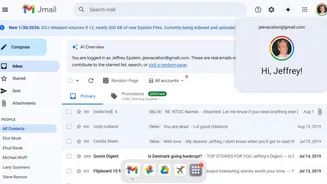

Extension Privacy Concerns
The realm of Chrome extensions, while offering convenience, brings along significant privacy concerns. These add-ons, designed to enhance your browsing
experience, can sometimes access and collect user data. Many extensions, in their functionality, require permissions that can potentially lead to data breaches. They may track browsing history, access personal information, or even inject malicious code. The core issue lies in the trust placed in these third-party developers, as their practices and intentions may not always align with user privacy expectations. This vulnerability makes it crucial for users to be vigilant about the extensions they install, ensuring they fully understand the permissions granted and the reputation of the developer. Careful scrutiny can help users mitigate the risks and maintain control over their data in an increasingly complex digital environment. Consider each extension as a potential key to your online privacy, and exercise caution before handing it over.
Risks of Installation
The process of installing a Chrome extension introduces potential risks to user privacy. When you install an extension, you grant it certain permissions to interact with your browsing activity. This interaction can range from reading and modifying webpage content to accessing sensitive information like cookies, which can be exploited for tracking or data theft. Some malicious extensions can even redirect your searches, display unwanted advertisements, or inject malicious code into your browser. This means that users unknowingly put their data at risk, creating a security gap. This is especially relevant given how many extensions ask for extensive permissions. A user must carefully assess the permissions requested by each extension before installation. Users should also look into the developer's reputation and read reviews to gauge reliability. This vigilant approach is vital for protecting personal information and maintaining control over the browsing environment. The act of installing an extension involves a calculated risk; understanding it is essential for safe browsing.
Google's Transparency Efforts
Google is actively working to enhance transparency related to AI-generated content on webpages. Recognizing the growing presence of AI-generated content, Google is developing features to identify parts of a webpage that have been created or modified by AI tools. This initiative aims to give users a better understanding of the source and authenticity of the information they encounter online. By providing this information, Google wants to equip users with the tools to discern between human-generated and AI-generated content. This initiative reflects a broader effort to maintain the integrity of online information and to combat the spread of misinformation. Such transparency helps ensure that users can make informed decisions about the information they consume and trust online. It underlines Google's efforts in fostering a more trustworthy digital ecosystem.
User Protection Strategies
To protect their privacy, users should adopt several key strategies when using Chrome extensions. First, meticulously review the permissions requested by each extension before installation. Ask yourself, does this extension truly need access to my browsing history or other personal data? Second, only install extensions from trusted developers or those with a strong reputation, confirmed by positive reviews and a history of reliable performance. Third, keep your extensions updated, as updates often include security patches that address vulnerabilities. Fourth, regularly review the installed extensions and uninstall any that are no longer needed or seem suspicious. Finally, use browser security features and consider privacy-focused browser extensions that can further enhance your online security. Users can take proactive steps to protect their personal information from potential threats by adopting these strategies.