






New Voice Filters Arrive
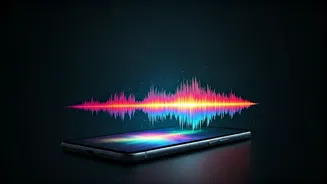
Instagram has recently rolled out a novel AI-powered capability designed to enhance voice notes sent within direct messages. This innovative feature introduces
a selection of nearly eight distinct voice effects, allowing users to apply creative filters to their audio messages. Notably, this functionality is now accessible to users in India and can be integrated into any ongoing chat conversation. This development represents a significant addition to the platform's ongoing integration of artificial intelligence, following reports of potential AI-driven face-swapping tools in the works.
India Gets AI Voices
In a recent announcement, the popular photo-sharing social media platform confirmed the widespread availability of its new AI-powered feature, officially named AI Voice Effects. This exciting addition enables users to imbue their voice notes with a variety of filters before dispatching them to others on the application. Verification by internal staff has confirmed that this AI-backed functionality is indeed live and operational within India, providing users with immediate access to these new communication tools. The rollout signifies a move towards more dynamic and personalized audio messaging for Instagram users.
Eight Fun Effects
Users can now select from a compelling list of eight distinct AI voice effects when crafting their voice notes in direct messages, offering a wide spectrum of creative possibilities. These transformative filters include playful options like 'Chipmunk' and 'Demon,' as well as more futuristic choices such as 'Alien' and 'Robot.' For those seeking aquatic or distorted sounds, 'Underwater,' 'Stadium,' 'Wobble,' and 'Fishbowl' are also available. Should users wish to revert to their natural voice, a simple click on the 'Original' button seamlessly restores the unadulterated audio. Furthermore, the platform allows users to easily identify which voice filter has been applied by tapping on the voice note itself, with recipients also having the ability to preview the applied effect before sending their own messages.
How to Apply
Accessing Instagram's new AI Voice Effects is a straightforward process designed for user convenience. To begin, simply navigate to the Instagram application and open any direct message thread. Once within the chat, tap and hold the voice note record button to begin recording your message. As you record or immediately after, you'll notice an 'AI Voice Effects' button appearing below the voice note interface. Tapping this button will reveal the array of available AI voice filters. Select your desired effect, record your voice note, and then choose one of the aforementioned AI Voice Effects to modify the tone. You have the flexibility to preview your altered voice note before sending it to ensure it perfectly conveys your intended message, adding a fun and personalized touch to your conversations.
AI on the Platform
This recent introduction of AI Voice Effects further solidifies the social media platform's commitment to integrating advanced artificial intelligence features into its user experience. It aligns with recent reports indicating that the company is actively developing additional AI-driven functionalities. Notably, there's speculation about an upcoming AI-powered face swap feature, potentially branded as 'Create My Likeness.' This prospective tool is rumored to enable users to generate images and videos using AI prompts, and may even offer the capability to replicate or manipulate likenesses, suggesting a continued trajectory towards more sophisticated AI applications within the app's ecosystem.