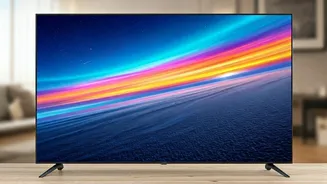








Display Technology Matters
The screen's technology significantly impacts picture quality. LED (Light Emitting Diode) TVs are widely available, using LEDs to illuminate the screen.
These offer good brightness and are generally more affordable. OLED (Organic Light Emitting Diode) TVs, on the other hand, provide superior contrast and deeper blacks because each pixel emits its own light. This results in incredibly vibrant images. There's also QLED (Quantum Dot LED) which enhances the color and brightness of LED TVs. The choice of display technology affects factors such as color accuracy, viewing angles, and overall picture quality, and should be considered based on your viewing preferences and budget. Each has strengths, which influence the viewing experience.
Resolution and Clarity
Resolution, measured in pixels, determines image sharpness. Full HD TVs have a resolution of 1920x1080 pixels, while Ultra HD (4K) TVs boast 3840x2160 pixels, offering significantly more detail. Higher resolutions provide a clearer and more immersive experience, especially on larger screens. Consider the size of your TV and your viewing distance when choosing a resolution. If you are watching on a smaller screen, the difference between HD and 4K might not be as noticeable, but for bigger screens, the clarity and detail of 4K are obvious. Ensure that the content you plan to watch is available in the desired resolution to get the best experience from your TV.
Smart TV Capabilities
Smart TVs integrate internet connectivity and apps, opening up a world of streaming services, apps, and online content directly on your TV. They typically come with built-in Wi-Fi and often include a range of pre-installed apps such as Netflix, Amazon Prime Video, and YouTube. Look for user-friendly interfaces and easy navigation. Some smart TVs also offer voice control via integrated virtual assistants, making it simple to find what you want to watch or control your smart home devices. Smart features can significantly enhance your viewing experience, making it convenient to access entertainment options and stay connected.
Connectivity Options
Connectivity options are crucial for connecting external devices. Your TV should have multiple HDMI ports for connecting gaming consoles, Blu-ray players, and other devices. USB ports are useful for playing media files from external storage devices. Consider the number of ports you'll need based on your setup. Modern TVs often include Bluetooth for connecting wireless headphones or soundbars. Ensure the TV has the necessary ports to accommodate all of your devices. This will give you a flexible setup and allows for easy expansion in the future. Check for features like HDMI 2.1 to take advantage of advanced features like 4K at higher refresh rates, especially for gamers.
Additional Features to
Beyond the core features, consider additional aspects that enhance your viewing. High Dynamic Range (HDR) improves the contrast and color accuracy, producing more realistic images. Refresh rate is also important, measured in Hertz (Hz), it impacts the smoothness of fast-moving images. Higher refresh rates (e.g., 120Hz) are beneficial for gaming and sports. The sound quality from built-in speakers can vary; consider an external soundbar or home theater system for an improved audio experience. The design of the TV, including bezel size and stand style, can also affect how it integrates into your space. Think about these extra features in your decision to make sure it will meet all your requirements.