





Strong Passwords Matter
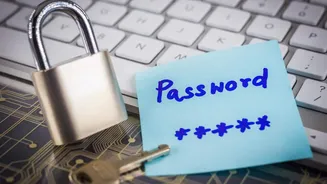
In the digital realm, your password is the first line of defense. Opt for combinations that are long, complex, and unique for each online account. Avoid
using easily guessable information like birthdays or common words. Instead, blend uppercase and lowercase letters, numbers, and symbols. Consider using a password manager to generate and store these robust credentials securely, reducing the mental burden and the temptation to reuse weaker passwords across multiple platforms. This simple yet effective habit significantly enhances your protection against brute-force attacks and unauthorized access, which are common entry points for cybercriminals seeking to compromise your online identity and sensitive data.
Beware Phishing Tactics
Phishing scams are designed to trick you into revealing sensitive information, often through deceptive emails, messages, or websites that impersonate legitimate entities. Always scrutinize the sender's email address, look for grammatical errors or suspicious links, and never click on attachments from unknown sources. If an offer seems too good to be true, it likely is. Legitimate organizations will rarely ask for personal details like passwords or financial information via email. Exercise caution and verify any suspicious requests directly with the supposed sender through official channels before taking any action. Awareness and skepticism are your greatest allies in thwarting these social engineering attacks.
Keep Software Updated
Software developers frequently release updates to patch security vulnerabilities that could be exploited by cyber attackers. Ensuring your operating system, web browsers, antivirus software, and other applications are always up-to-date is a critical step in maintaining robust online security. These updates often contain crucial fixes that close loopholes cybercriminals might use to infiltrate your devices. Enabling automatic updates where possible is a convenient way to ensure you're always protected by the latest security measures. Neglecting these updates can leave your system exposed to known exploits, making you an easy target.
Secure Your Network
Your home Wi-Fi network is a gateway to the internet, and if not properly secured, it can be a vulnerability. Change the default username and password for your router to something unique and strong. Utilize WPA2 or WPA3 encryption to scramble your network traffic, making it unintelligible to unauthorized users. Be cautious about connecting to public Wi-Fi networks, as these are often unsecured and can be easily monitored by attackers. For sensitive transactions on public networks, consider using a Virtual Private Network (VPN), which encrypts your connection and masks your IP address, providing an additional layer of privacy and security.
Enable Two-Factor Authentication
Two-factor authentication (2FA) adds an extra layer of security to your online accounts by requiring two different forms of verification to log in. Typically, this involves something you know (your password) and something you have (a code sent to your phone or a security key). Even if your password is compromised, the attacker would still need the second factor to gain access. Many online services, including email providers, social media platforms, and financial institutions, offer 2FA. Activating this feature on all eligible accounts significantly reduces the risk of unauthorized access and protects your valuable digital assets.
Be Mindful Online
Developing a healthy sense of caution and awareness while navigating the digital landscape is paramount. Think before you click on links or download files, especially if they arrive unexpectedly or from unverified sources. Be wary of unsolicited requests for personal information, even if they appear to come from a trusted contact, as their accounts might have been compromised. Regularly review privacy settings on social media and other online platforms to control who can see your information. A mindful approach to your online activities can prevent many common cyber threats from succeeding.
Back Up Your Data
Regularly backing up your important data is a crucial safeguard against potential loss due to cyberattacks, hardware failures, or accidental deletions. Store backups in multiple locations, such as an external hard drive and a secure cloud storage service. This ensures that even if one backup medium is compromised or lost, you still have access to your files. In the event of a ransomware attack, where your files are encrypted and held for ransom, having a recent backup allows you to restore your data without having to pay the attackers, thus denying them their objective and protecting your digital continuity.