






AI as Remote Staff
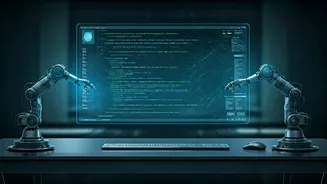
Anthropic is redefining how we interact with AI by enabling Claude to function as a remote employee. This innovative approach allows users to dispatch
instructions from their mobile devices, while the AI diligently executes these tasks on a connected desktop. This signifies a shift from a simple chatbot interaction to a more sophisticated, task-oriented relationship, where your phone acts as a command center for background AI operations. The goal is to streamline workflows, allowing users to focus on other activities while their AI assistant handles preparatory or repetitive tasks.
Phone to Desktop Workflow
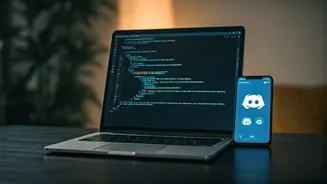
The core of this new capability lies in its seamless integration between your phone and desktop. Through the "Cowork" option, you can send commands like "prepare a report" or "organize files" directly from your smartphone. Claude then accesses your local files, connected applications, and plugins on your computer to complete the assigned work. This means you could be on your commute or away from your desk and still initiate complex tasks, confident that by the time you return to your system, the work will be finished and presented in a usable format, such as documents or structured data, rather than a step-by-step log.
Contextual Continuity
A key feature that enhances this remote operation is Claude's ability to maintain context within a single ongoing conversation. Unlike traditional interactions that might require starting over, this system remembers previous instructions and ongoing projects. If you initiated a task earlier, you can return later and continue from where you left off, with Claude understanding follow-up commands and ensuring an uninterrupted workflow. This persistent memory and contextual awareness allow for more complex, multi-stage tasks to be managed efficiently without constant user intervention.
Desktop Power Unleashed
The "Cowork" setup empowers Claude to act as a proactive helper, capable of taking instructions and delivering tangible results. Because the AI operates on your computer, it gains access to the full spectrum of your local files and desktop tools. This is a significant advantage over mobile-only AI functionalities, as Claude can leverage the resources available on your system, offering a richer and more powerful range of capabilities than what might be accessible solely through a phone interface. The AI works with what's on your desktop, not just what your phone can handle.
Safety and Control
With enhanced capabilities comes the responsibility of careful usage. As Claude gains the ability to interact with your local files and connected services, any command issued from your phone has the potential to enact real changes on your system. This could range from simple file organization to more significant modifications or deletions if so instructed. Anthropic emphasizes that users must be fully aware of the access they grant to Claude and understand its capabilities and limitations. This awareness is crucial for safe and effective use, especially when the AI is performing tasks without direct, step-by-step supervision.
Rollout Details
This groundbreaking feature is being gradually introduced to users. Those subscribed to the "Max" plans will start seeing the new capabilities from today. Subscribers of "Pro" plans will gain access starting tomorrow. To utilize this remote control functionality, users will need to have both the Claude Desktop application installed on their computer and the Claude mobile application on their smartphone. This dual-app requirement ensures the seamless connection and communication necessary for the AI to operate as a remote assistant.