







Lite App's Farewell
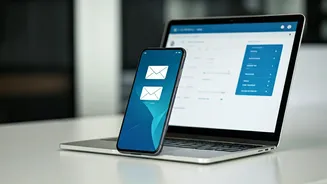
Microsoft has announced the definitive closure of its Outlook Lite application for Android users, with the final curtain falling on May 25, 2024. This
means that after this date, the specialized, lightweight version of the email client will cease to offer any access to mailboxes. While the app might still launch, retrieving emails, managing calendar events, or accessing attachments will exclusively be possible through the more comprehensive Outlook Mobile application. This move follows Microsoft's earlier decision in October 2025 to halt new downloads of Outlook Lite, signaling a clear intention to phase out the service entirely and consolidate its mobile email strategy. Users who have relied on Outlook Lite for its simplicity and performance on less powerful devices will need to make a definitive shift.
Strategic Consolidation Rationale
The discontinuation of Outlook Lite stems from Microsoft's strategic decision to streamline its mobile offerings and concentrate on the robust capabilities of the primary Outlook Mobile app. Originally conceived to cater to users with entry-level smartphones or those operating under less-than-ideal network conditions, Outlook Lite served a specific niche. However, as mobile technology has advanced and the core Outlook app has become more efficient and adaptable across a wider spectrum of devices, the need for a separate lightweight version has diminished. Microsoft's current focus is on delivering a unified experience that provides enhanced compliance features, broader compatibility with various mailbox types, and deeper, more seamless integration with the Microsoft 365 ecosystem, aiming to provide a superior and more integrated user experience overall.
User Migration Pathway
Microsoft has reassured its user base that the transition from Outlook Lite to the full Outlook Mobile app will be a secure and straightforward process, with no data loss anticipated. All existing emails, calendar entries, and attachments will be automatically synchronized once users log into the Outlook Mobile application using their existing account credentials. For a smooth migration, users are advised to look for an 'Upgrade' option within the Outlook Lite app, which should direct them to the Google Play Store to download the full Outlook app. If this prompt isn't readily available, users can manually search for and install the Outlook Mobile app from the Play Store. The key is to sign in with the same Microsoft account previously used with Outlook Lite to ensure all your data is seamlessly restored. For organizations, IT administrators are not required to take any specific action, but they are encouraged to update their internal guides and inform their employees about the change to prevent any disruption in email access.