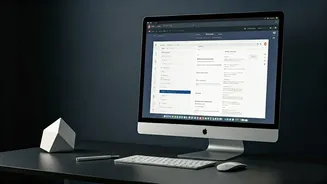








Vertical Tabs Unveiled
Google Chrome has introduced a significant shift in tab management by enabling users to display their open tabs vertically along the side of the browser
window. This innovative feature moves away from the traditional horizontal tab bar located at the top, offering a more intuitive way to handle numerous open pages. The vertical layout allows for the full display of page titles, which can be difficult to read when tabs are condensed horizontally, especially for users who tend to keep many tabs open simultaneously. This enhancement is particularly beneficial for multitasking, providing a clearer overview and easier selection of desired pages. The implementation is straightforward: users can simply right-click on any part of their Chrome window and select the 'Show Tabs Vertically' option. This feature aligns Chrome with the capabilities already present in other major browsers, making tab navigation more manageable and efficient for everyday browsing.
Enhanced Reading Experience
Beyond tab organization, Chrome also brings a refreshed reading experience with its updated full-page reading mode. This feature is designed to eliminate the visual clutter that often accompanies online articles, such as advertisements, sidebars, and other distracting elements. By activating this mode, webpages are transformed into a clean, text-focused interface, allowing readers to concentrate solely on the content. Accessing this streamlined view is as simple as right-clicking on any web page and selecting the 'Open in reading mode' option. The updated reading mode presents articles in a more digestible and immersive format, enhancing comprehension and enjoyment for users who frequently read long-form content online. This development signifies Google's commitment to refining the user's interaction with web content, making it more accessible and pleasant.
Recent Chrome Innovations
These new additions of vertical tabs and the improved reading mode are part of a series of ongoing enhancements Google has been implementing in its Chrome browser. In recent times, Chrome has seen the integration of various user-centric features aimed at boosting productivity and convenience. For instance, the Gemini AI assistant was recently incorporated into a side panel for users in India, although its full capabilities, like the Auto Browse feature seen in the US version, are still being rolled out. Previously, Chrome also received updates that included features like Split View for side-by-side browsing and built-in tools for annotating PDF documents. These consistent updates demonstrate Google's continuous effort to make the Chrome browser a more powerful and versatile tool for its user base, adapting to evolving digital habits and user needs.