






The AI Chat Loop
Engaging with artificial intelligence tools like ChatGPT, Claude, or Gemini often leads to a familiar, albeit frustrating, scenario. Conversations can
take unexpected turns, with AI models sometimes generating inaccurate information confidently. This can prompt users to switch between different applications, seeking a more accurate response. However, a significant drawback arises when users must re-explain their entire context to each new AI service. This repetitive process feels like a constant loop of re-introducing oneself and the problem at hand, diminishing the efficiency and enjoyment of using these advanced tools.
Gemini's Memory Import
A notable advancement has emerged with Google's Gemini, offering a solution to the repetitive nature of AI interactions. The platform now allows users to bring their chat histories from other AI applications directly into Gemini. This means Gemini can enter a conversation with pre-existing knowledge, whether it pertains to a complex problem, an ongoing educational explanation, or even personal discussions. This capability extends beyond recent exchanges, enabling the import of broader personal preferences and habits to make interactions feel more tailored. The primary benefit is bypassing the most irksome aspect of using multiple AI tools: the need to constantly re-explain the background information.
Setting Up Memory Import
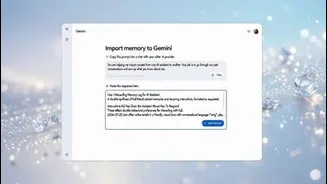
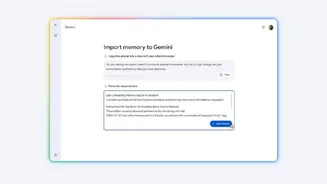
Integrating your past AI conversations into Gemini is a straightforward process, primarily requiring you to know where to find the relevant settings. Begin by accessing Gemini through your web browser and ensuring you are logged in. Navigate to the 'Settings' option, typically located in the lower-left portion of the interface. Within the settings menu, select the 'Import memory to Gemini' feature. Gemini will then provide instructions, usually involving copying a specific prompt and pasting it into your previous AI application. The response generated by that application should then be pasted back into Gemini, enabling it to understand your prior context and avoid the need for a fresh start.
Alternative Import Method
For users who prefer not to engage in a copy-and-paste process, Gemini offers an alternative method for importing conversational data. This involves exporting your data directly from the AI service you were previously using. The exported data is typically provided as a ZIP file, which can then be uploaded to Gemini. It's important to be aware of the file size limitation, which is capped at 5GB. Once the data is uploaded and processed, Gemini will effectively feel like it's continuing an ongoing dialogue, thereby significantly enhancing the overall user experience by making it feel more natural and less fragmented.
User Experience Insights
Testing the memory import feature in Gemini reveals that it functions effectively, often exceeding initial expectations. While the import process isn't instantaneous and may require some patience, especially for lengthy and detailed conversations, the time invested yields substantial rewards. The more extensive the context being transferred, the longer the processing time. However, this temporary wait is a worthwhile trade-off for the immense relief of not having to repeat the same information repeatedly. The long-term benefit of seamless continuity in AI interactions makes this feature a compelling reason to consider migrating from other platforms, offering a noticeably smoother and more integrated experience.