







Intelligent Document Assistance
Professionals grappling with lengthy documents, especially in fields like legal review and financial reporting, now have a potent ally in Microsoft Word
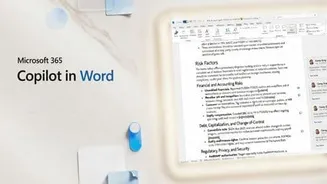
with the advent of Claude AI. Following its successful debut in Excel and PowerPoint, Claude's integration into Word promises a significant leap in document management efficiency. The AI is adept at understanding document content, allowing users to pose questions and receive precise answers directly linked to specific sections with clickable citations. This capability dramatically reduces the time spent searching for information within extensive files. Beyond information retrieval, Claude excels at refining text. Users can highlight passages and instruct the AI to rephrase, simplify, or 'clean up' the content, ensuring it's suitable for various audiences without compromising the original document's formatting. This attention to detail, especially preserving formatting during text manipulation, is a notable advancement for Word users accustomed to formatting disruptions during copy-paste operations.
Seamless Collaboration Features
Claude's utility extends significantly into collaborative document environments, offering advanced features designed to streamline feedback and revision processes. For instance, it can analyze existing comment threads within a document, understand the context of the discussion, and even draft replies or edit the relevant text accordingly. This capability is particularly valuable in iterative editing cycles, where multiple stakeholders provide feedback. The AI presents its edits as native Word tracked changes, allowing users to easily review, accept, or reject modifications within the familiar Word review pane. This mimics human review processes closely, making collaboration smoother and more transparent. The ability to interact with comments and text simultaneously reduces the manual effort required to manage feedback, making document reviews more efficient and less prone to oversight.
Cross-Application Data Integration
The capabilities of Claude in Word are further amplified by its ability to interact with other Microsoft applications, such as Excel. This cross-application functionality is a game-changer for report generation and data-driven documents. Users can now pull data directly from an open Excel file into their Word document without the cumbersome and error-prone process of traditional copy-pasting. This integration ensures data accuracy and saves considerable time when populating summary tables or incorporating numerical insights into reports. Furthermore, Claude can identify sections within a document that relate to a specific theme, not by simple keyword matching, but by understanding the semantic meaning. This advanced contextual search allows professionals to quickly locate all relevant information on a particular topic, even if varied terminology is used across different parts of the document, enhancing the comprehensiveness of analyses and reporting.
Future of Workplace AI
Anthropic's strategic move to embed Claude across workplace applications, starting with its initial integrations in Excel and PowerPoint and now Word, signals a clear ambition to position its AI as an indispensable tool for professionals. The current beta availability of Claude for Word, restricted to Team and Enterprise plans, suggests a phased rollout targeting business environments where such advanced AI assistance can yield the most significant productivity gains. The success and widespread adoption of Claude in real-world workflows will ultimately depend on its continued performance, reliability, and how effectively it integrates into diverse professional tasks. This expansion beyond developer-centric tools into core productivity suites indicates a broader trend of AI becoming deeply woven into the fabric of daily work, promising enhanced efficiency and new possibilities for how professionals interact with their digital documents.