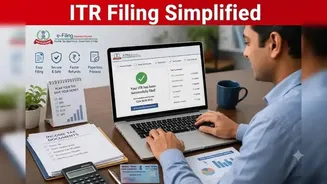
As the spotlight is on the last day for salaried individuals to file their income tax returns (i.e. July 31) how can taxpayers use the e-Pay tax facility
to file their taxes online, quickly and securely.
Understanding e-Pay Tax
e-Pay Tax is an online facility provided by the Income Tax Department that allows taxpayers to seamlessly pay direct taxes (such as Advance Tax, Self-Assessment Tax, and TDS) electronically. It eliminates the need for taxpayers to go to a bank branch and allows users to generate a challan and pay via Net Banking, Debit Card, UPI, or NEFT/RTGS online.How To Pay Income Tax Online
To begin a payment go to the e-Pay Tax section. Select the applicable tax category and assessment year or tax year, enter the tax amount and then choose the preferred mode of payment.
5 Payment Modes Available On Income Tax e-Pay Tax Portal
There are five payment modes available on the portal 'e-Pay Tax' portal and they have been explained below.
1. Debit Cards-Taxpayers can pay using their debit cards directly. Users can enter their card credentials and required OTP. Once the payment is successful, the proof of the payment details and the challan receipt will be available.
2. Payment Gateway- This payment mode supports multiple digital payment options such as credit cards, UPI etc. Taxpayers can choose the payment mode and complete the transaction. Transaction charges may apply and the exact amount may vary based on the chosen payment gateway or bank.
3. Net banking-This option is available via banks that support tax payments on the portal. Taxpayers will be directed to their bank's internet banking page to complete the payment process.
4. RTGS/NEFT- Taxpayers can also pay taxes on RTGS/NEFT via any bank. They can transfer the amount via internet banking and the transaction will reflect on the e-filing portal.
5. Generating Challan Online- Those who still prefer to pay offline can generate a challan online and pay at a chosen bank branch via cash, cheque or demand draft.