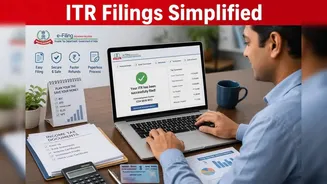








Taxpayers who are filing their Income Tax Returns (ITR) have the 'Pay At Bank Counter' option. This option allows users to pay any self-assessment tax,
advance tax or any other dues. What Is the 'Pay At Bank Counter' Option? The 'Pay At Bank Counter' option allows taxpayers to pay taxes offline using cash, cheque, or demand draft. To use it, users must first generate a Challan Reference Number (CRN) on the I-T Department's service portal, this is valid for 15 days. What Taxpayers Must Do To Use 'Pay At Bank Counter' Option To use this option, taxpayers can go to the e-filing portal and the e-pay tax section on the portal, they can then enter details such as applicable assessment year, tax type and the amount due, once prompted to choose the payment method they can select 'Pay At Bank Counter'. The system then generates a challan number that contains a unique identification number and other details. Users can download and print the challan as they will need this for making the payment at the bank branch. Users can then visit the authorised bank branch within the validity period of the challan and submit the payment in cash, cheque or demand draft, subject to the bank's rules. After the payment is processed, the bank will give a stamped acknowledgement or receipt. Taxpayers should keep this document for their records. Once the transaction is reflected in the tax system, the challan details can be used while completing and submitting the Income Tax Return. What Is Not Allowed? Tax Payment of over Rs 10,000 in cash is not allowed via this method. No transaction fee is applicable for making tax payment through this mode. The Income Tax Department has implemented this restriction to boost transparency and encourage secure transactions in the system.