







ITR Refund Delay 2025: For many taxpayers, the tax filing process isn’t truly over until the refund hits the bank account. While the Centralised Processing Centre (CPC) has significantly sped up processing
times, delays still happen. This year, refund delays have been happening on the back of income tax notices being issued to taxpayers due to the mismatch in ITR or doubtful deduction claims red-flagged by the system.
If you are staring at a “Processed” status but an empty bank account, here is a step-by-step guide on whom to contact and how to resolve the issue.
Step 1: Check the Status First
Before doing anything, you must determine where the refund is stuck. The status on the e-filing portal tells who you need to contact.
- Log in to the e-filing portal at https://www.incometax.gov.in/iec/foportal/.
- Go to e-File > Income Tax Returns > View Filed Returns.
- Check the status of the relevant Assessment Year (e.g., AY 2025-26).
If the status is ‘Processed with Refund Due’, the CPC has already approved it but the transfer hasn’t happened.
If the status says ‘Refund Failed’, the transfer was attempted but rejected (usually due to bank issues).
If the status says ‘Refund Paid’, the department believes they have paid you. If you haven’t received it, this requires a specific trace.
Step 2: Who to Call?
Depending on your status, reach out to the following authorities.
1. For General Processing Delays (CPC Bengaluru)
If your return status has not moved to “Processed” for a long time, or if you have received an intimation order but no refund, contact the Centralised Processing Centre (CPC).
Toll-Free Numbers: 1800 103 0025 And 1800 419 0025
Direct Lines (Bengaluru): +91-80-4612 2000 | +91-80-6146 4700
Hours: 8:00 AM-8:00 PM (Monday to Friday)
2. For ‘Refund Paid’ But Money Not Received (SBI)
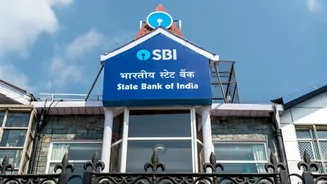
The State Bank of India (SBI) acts as the official Refund Banker. If the portal says ‘Refund Paid’ but the money hasn’t credited, the issue lies between the Refund Banker and your bank.
SBI Refund Enquiry Toll-Free: 1800 425 9760
Email: itro@sbi.co.in or customercare@sbi.co.in
Note: You may be asked for your PAN and the Assessment Year.
3. For Complex/Legal Disputes (Jurisdictional Assessing Officer)
If your refund is withheld due to a scrutiny notice, outstanding demand adjustments (Section 245), or complex rectification rights, the CPC helpline may not be able to help. You must contact your Jurisdictional Assessing Officer (JAO).
How to find your JAO: Log in to the e-Filing portal > Click “Know Your AO” on the dashboard (usually under ‘My Profile’ or ‘Services’).
You might need to visit the local ward office or submit a written letter to the AO requesting the release of the refund.
Step 3: Raising a Grievance
Calling helplines can be frustrating due to wait times. The most effective “official” record of your complaint is the e-Grievance mechanism on the portal.
- Log in to the e-Filing portal.
- Navigate to the Grievances tab > Submit Grievance.
- Select CPC-ITR as the department (for processing/refund issues).
- Select the Category: ‘Refund not received’.
- Select the Sub-Category: e.g., ‘Intimation received but refund not received’.
- Describe your issue (mention acknowledgement numbers/dates) and submit.
Why this is effective: The department is mandated to resolve these tickets within a specific timeframe, and you can escalate the ticket if it isn’t resolved.
Step 4: Common Culprits to Fix Yourself
Before logging a complaint, ensure you haven’t made one of these two common errors. The department will not issue a refund if these are invalid:
1. Bank Account Validation Refunds are only issued to pre-validated bank accounts linked to your PAN.
What to do? Go to My Profile > My Bank Accounts. Ensure your preferred bank shows ‘Validated’ and ‘Eligible for Refund’.
2. Outstanding Demand If you owe a penalty or tax from a previous year (even Rs 100), the system may auto-adjust your current refund against that debt.
What to do? Check the Pending Actions > Response to Outstanding Demand tab. You must agree or disagree with the demand to unblock the process.