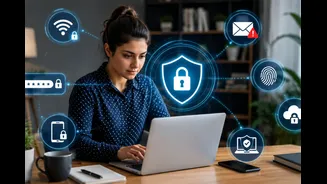









Remote work has blurred the lines between professional and personal digital spaces, making cybersecurity more critical than ever. Employees now regularly access sensitive company data from home networks,
personal devices, and even shared Wi-Fi connections, all of which increase the risk of cyberattacks and data breaches.
Unlike office environments that are protected by dedicated IT infrastructure and advanced security systems, remote setups are often more vulnerable to online threats.
Some simple yet effective cybersecurity precautions, such as using strong passwords, enabling two-factor authentication, securing internet connections, and staying alert to online scams, can help significantly reduce security risks.
Here are few essential precautions employees can adopt to keep their data safe.
Essential Cybersecurity Precautions for Employees
Use Strong and Unique Passwords
Employees should create strong passwords using a mix of uppercase and lowercase letters, numbers, and special characters to make accounts more secure.
It is also important to avoid using the same password for multiple accounts because if one account is compromised, others may become vulnerable as well.
Enable Two-Factor Authentication (2FA)
Two-factor authentication (2FA) strengthens account security by requiring users to verify their identity through a second method in addition to their password. This second step may include a mobile OTP, authentication app, fingerprint scan, or security code.
Even if cybercriminals manage to steal or guess a password, they cannot easily access the account without completing the additional verification process.
Secure Home Wi-Fi Networks
Employees should secure their home internet connection by using strong Wi-Fi passwords and regularly updating router security settings.
Public Wi-Fi networks in cafes, airports, or other public places should be avoided while handling confidential work-related data, as these connections are often less secure.
Using a Virtual Private Network (VPN) adds an extra layer of protection by encrypting internet traffic, making online activities safer, and reducing the risk of cyberattacks during remote work.

Beware of Phishing Emails and Scams
Phishing attacks are among the most common and dangerous cyber threats faced by remote workers today. Cybercriminals often send fake emails, messages, or links that appear to come from trusted sources to steal passwords, financial details, or confidential company information.
Employees should avoid clicking suspicious links, downloading unknown attachments, or sharing sensitive data through unverified emails and messages.

Keep Software and Devices Updated
Regular software updates are essential for maintaining cybersecurity during remote work. Updates often include important security patches that fix vulnerabilities hackers may exploit to gain unauthorized access to devices or company systems. Employees should frequently update their operating systems, antivirus software, web browsers, and work-related applications to ensure maximum protection against evolving cyber threats.
Enabling automatic updates whenever possible is a simple and effective way to maintain device security and reduce the risk of cybersecurity breaches while working remotely.
Use Company-Approved Devices and Applications
Using unauthorized software or personal devices for official work can increase the risk of data breaches and cybersecurity threats.
Employees should always follow organizational cybersecurity guidelines and use company-approved devices, communication platforms, and cloud storage systems for work-related tasks.
Following approved digital practices also reduces the chances of accidental data leaks and protects both employees and organizations from potential cyber risks.