







Understanding Instagram Instants
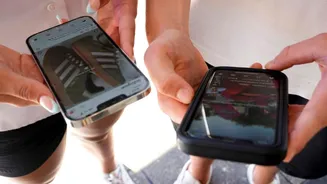
Instagram has introduced 'Instants,' a novel feature and companion app focused on capturing and sharing raw, unfiltered 'unpolished moments.' Unlike the
24-hour lifespan of Instagram Stories, Instants are designed for immediate, single-viewing experiences shared with a select circle of followers, such as Close Friends or mutual connections. This ephemeral nature closely mirrors the functionality of Snapchat, where once an Instant is viewed, it disappears permanently. The primary aim is to foster more spontaneous and less curated photo sharing among users, allowing them to share fleeting thoughts or sights without the pressure of permanent posting or elaborate editing.
Disabling Instants Easily
If the immediacy of Instants doesn't align with your Instagram preferences, disabling the feature is a straightforward process. Begin by navigating to your personal profile page. Once there, locate and tap the three-line menu icon situated in the top-right corner of your screen. Within the menu that appears, scroll down until you find the 'Content Preferences' option. Here, you'll see a toggle switch labeled 'Hide Instants In Inbox.' Activating this toggle will effectively remove all traces of the Instants feature from your inbox and prevent you from receiving any future Instant shares, allowing for a cleaner and more familiar Instagram interface.
Managing Temporary Shares
For users who prefer not to permanently disable Instants but wish to temporarily pause receiving them, Instagram offers a convenient interim solution. When you encounter a pile of Instants in your inbox, simply swipe right across them. This action will temporarily stop you from receiving new Instant shares. Additionally, if you accidentally send an Instant, there's an 'Undo' option that appears directly below the shutter button immediately after capture. This allows you to retract the photo before it is viewed by anyone. Alternatively, you can access your archive via the four-box icon in the top-right of the camera interface and delete an Instant, which will unsend it for any friends who have not yet opened it, providing a safety net for spontaneous shares.