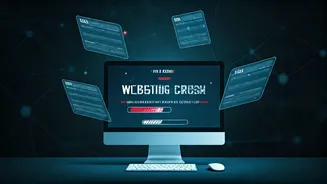







Website Crash Frustrations
The process of obtaining an e-visa can quickly turn into a source of immense stress when faced with a consistently non-responsive website. Imagine repeatedly
clicking the refresh button, hoping to finally access the application form, only to be met with another error message. Individuals have reported this happening multiple times, often losing their progress or facing difficulties in submitting their details. This technical issue disrupts travel plans, especially for those with tight deadlines. The frustration is compounded by the lack of clear instructions or immediate solutions, leaving users feeling helpless and inconvenienced.
Understanding the Issues
The persistent crashes of e-visa websites are often a result of various factors. One of the main reasons is heavy traffic. During peak seasons or when the website undergoes scheduled maintenance, a surge in users simultaneously trying to access the site can overwhelm the servers. Another common problem is technical glitches in the website's code, leading to unexpected errors and system failures. These could be due to software bugs, compatibility issues with different browsers, or outdated security protocols. Network connectivity problems on the user's end, such as an unstable internet connection, can also contribute to the perception of the site crashing.
Troubleshooting Techniques
To address e-visa website crashes, several troubleshooting methods can be used. Firstly, try clearing your browser's cache and cookies, which may have outdated or corrupt data that can interfere with the site's functionality. Switching to a different browser is also advisable, as some sites work better with specific browsers. If the problem persists, try accessing the website during off-peak hours when the server load is likely to be lower. Verify your internet connection's stability and try again after restarting your modem or router. If these steps fail, contact the e-visa website's support team to report the issue and seek assistance.
Contacting Support Systems
When dealing with e-visa website issues, reaching out to the support team is an essential step. Locate the website's contact information, which is usually located in the 'Contact Us' or 'Help' section. Clearly explain the issue, providing detailed information such as error messages, the steps taken before the crash, and the browser and device being used. The support team might request screenshots or other data to assist with the troubleshooting process. In case you do not receive a prompt reply, follow up periodically to ensure your case is addressed. Your patience, along with detailed information, helps support teams identify and resolve the issue faster.
Alternative Options Explored
If you're facing persistent e-visa website issues, other options might be explored. Consider applying through an authorized travel agency, as they may have dedicated systems or support channels. Be aware of additional fees. Another option is to investigate the possibility of obtaining a visa on arrival at your destination, which offers a possible alternative. Make sure you check the terms and conditions. The best solution always depends on the individual circumstances, including the urgency of your travel and the specific requirements of the destination country.