






What's Happening?
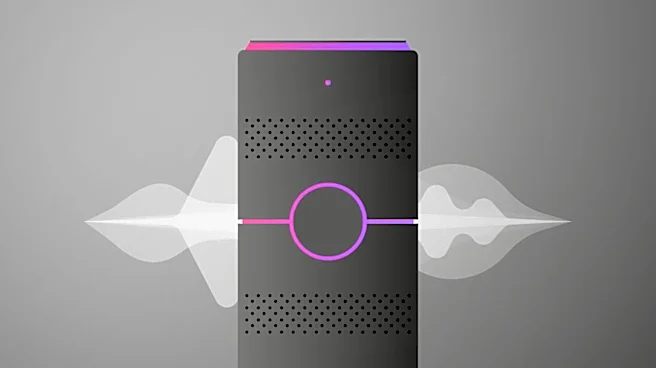
Amazon Echo smart speakers and displays utilize a multicolored light system to communicate device status. A solid purple light on an Echo speaker's LED ring or at the bottom of an Echo Show touchscreen typically signifies that the device is in Do Not
Disturb mode. This mode prevents the device from receiving notifications, calls, or messages until it is deactivated. The purple light may also briefly appear after a voice command or an action initiated through the Alexa app. In some cases, a persistent purple light during initial setup can indicate Wi-Fi connectivity problems. This could be due to using an outdated version of the Alexa app for device onboarding or attempting to set up an Echo device with Amazon eero Built-in as a Mesh Wi-Fi extender before the eero Network itself has been established. To resolve the Do Not Disturb mode, users can either issue a voice command like "Alexa, turn off Do Not Disturb" or navigate through the Alexa app to the device settings and toggle off the feature. Timers, alarms, and reminders remain functional even when Do Not Disturb mode is active.
Why It's Important?
The colored light indicators on Amazon Echo devices are crucial for user experience and troubleshooting, providing immediate visual feedback on the device's operational status. Understanding these indicators, particularly the purple light, helps users quickly identify and resolve common issues such as unwanted interruptions from notifications or connectivity problems. This directly impacts the reliability and convenience of smart home ecosystems that rely on Echo devices for control and communication. For instance, if a device is inadvertently in Do Not Disturb mode, critical alerts or communications might be missed, affecting daily routines or security monitoring. Conversely, prompt identification of Wi-Fi issues through the purple light allows users to address network problems, ensuring continuous functionality of their smart home devices and access to Alexa's services. This system minimizes the need for complex technical diagnostics, making smart home technology more accessible and user-friendly for a broader demographic.
What's Next?
Users encountering a purple light on their Amazon Echo device should first attempt to disable Do Not Disturb mode via voice command or the Alexa app. If the issue persists or occurs during setup, they should verify their Alexa app is up-to-date and ensure their eero Network (if applicable) is properly configured before attempting to use an Echo device as an extender. Amazon will likely continue to refine its visual feedback systems and user interface within the Alexa app to make troubleshooting even more intuitive. Future updates to the Alexa app or Echo device firmware may introduce clearer diagnostic messages or guided troubleshooting steps for connectivity issues indicated by the purple light. Additionally, as smart home ecosystems become more complex, Amazon may expand the range of light indicators or introduce new methods for users to understand and manage their device's status, potentially integrating more proactive alerts or self-correction features for common problems.
Beyond the Headlines
The reliance on visual cues like the purple light on Amazon Echo devices highlights a broader trend in consumer technology towards simplified user interfaces and intuitive feedback mechanisms. As smart devices become more integrated into daily life, the ability for non-technical users to quickly understand and resolve minor issues without extensive technical knowledge is paramount. This design philosophy reduces user frustration and increases adoption rates for smart home technology. Furthermore, the integration of Amazon eero with Echo devices points to the growing convergence of smart home hubs and network infrastructure, aiming to create a more seamless and robust connected home experience. This convergence could lead to more sophisticated self-healing networks and integrated troubleshooting, where devices can diagnose and potentially resolve network-related issues autonomously, further enhancing user convenience and the overall reliability of smart home ecosystems.