/images/ppid_a911dc6a-image-178301210494048130.webp)

/images/ppid_a911dc6a-image-178299455404516366.webp)
/images/ppid_a911dc6a-image-1782812531043662.webp)
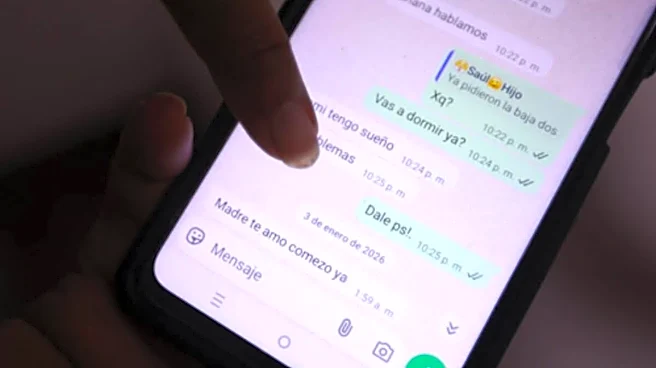



Finding something to watch often takes longer than actually watching it. You may come across a movie recommendation in a WhatsApp chat or an Instagram Reel, only to forget about it once you're sitting in front of the TV. Lumio is looking to solve exactly that problem with Project Neo, a new AI-powered content discovery feature that has now entered public beta. Keep on reading to know everything about Project Neo, how it works, supported features and how eligible users can start using it today.What Is Project Neo And How Does It Work?Project Neo is built into Lumio's TLDR app and allows users to discover and play content on compatible Lumio Vision TVs and Arc Projectors by simply sending a message on WhatsApp or Instagram. Instead of navigating
multiple streaming apps or endlessly scrolling through recommendations, users can type or speak naturally to find something to watch. Whether it's the name of a movie, an actor, director, language, genre, mood or even a vague plot description, Project Neo attempts to identify the title and launch it directly on the TV. If you're unsure what to watch, asking for recommendations will surface trending content available across supported streaming platforms.The feature also supports Instagram integration. Users can forward a movie poster, trailer, Reel or screenshot to Neo, which then identifies the title and sends it directly to their TV.How To Access Project NeoThe public beta is currently available for Lumio Vision TVs and Lumio Arc Projectors in India through an update to the TLDR app. There is no separate registration process.To get started, update the TLDR app from the Google Play Store on your Lumio device. Then visit neo.lumiolabs.ai for setup instructions and the official WhatsApp or Instagram contact details for Neo. Once connected, simply send a message describing what you'd like to watch or forward a Reel, post or screenshot from Instagram. Neo will identify the content and launch it directly on your compatible Lumio device.According to the company, Project Neo currently supports nine languages, including Hindi, English, Tamil, Telugu, Malayalam, Marathi, Kannada and Odia, with support for additional languages expected to arrive in future updates.
/images/ppid_a911dc6a-image-178292105742666787.webp)
/images/ppid_a911dc6a-image-178289653189213284.webp)
/images/ppid_59c68470-image-17830001007038814.webp)


/images/ppid_a911dc6a-image-178291755623544541.webp)

/images/ppid_a911dc6a-image-178292102636449297.webp)
/images/ppid_59c68470-image-178292252992932587.webp)