





Why Offline AI Is a Game Changer for Students
The lecture hall is a challenging environment for technology. Wi-Fi can be unreliable, and uploading audio to the cloud for transcription raises privacy concerns. Offline AI speech-to-text apps solve both problems. These applications run powerful transcription models,
like OpenAI's Whisper, directly on your phone or laptop. This means no internet connection is required to record and transcribe, ensuring your notes are captured regardless of connectivity. More importantly, your audio data never leaves your device, providing total privacy for your lectures and discussions. This local processing allows you to focus completely on the lecture, confident that a detailed, verbatim record is being created securely in the background.
For Mac Users: MacWhisper
If you're integrated into the Apple ecosystem, MacWhisper is a leading choice for offline transcription. It leverages OpenAI's Whisper models, which you download to run locally on your machine. This ensures that everything stays on your device and works without an internet connection. Users can choose from various model sizes, trading a bit of speed for higher accuracy, which is crucial for lectures filled with technical jargon. The app is designed for simplicity: just drag and drop an audio file, and it generates a full, time-stamped transcript. Its ability to handle long recordings and export text in various formats makes it ideal for converting a two-hour lecture into a searchable document you can review later.
For Android Users: Whisp Offline AI Transcription
Android users have a powerful and privacy-focused option in Whisp. The app explicitly markets itself as a 100% offline tool, using on-device AI to ensure your data never goes to the cloud. A key feature for students is its real-time transcription capability, which can even work in a floating window over other apps. This allows you to follow a live online lecture and see the transcript generate simultaneously. It supports multiple languages and allows you to manage which language models are downloaded, saving space on your device. For students who need a simple, secure, and effective tool to capture every word in the classroom, Whisp is designed for exactly that purpose.
For Cross-Platform Power: Audacity with OpenVINO
For those who want a free and highly versatile option that works on Windows, Mac, and Linux, the classic audio editor Audacity now has a powerful trick up its sleeve. By installing the free OpenVINO AI plugin, users can access Whisper-powered transcription directly within the app. This solution is completely free, has no limits on transcription minutes, and works entirely offline. While it might require a bit more setup than a dedicated mobile app, it offers unparalleled control. You can record a lecture, edit the audio to remove noise, and then transcribe the clean track into a text label. The transcript can be easily exported, turning your audio recording into an editable and searchable study guide.
Getting the Best Results
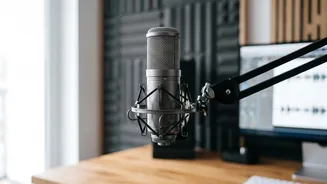
Using an AI app is not a passive activity; a little preparation goes a long way. First, ensure your device's microphone is positioned as close to the speaker as possible to capture clear audio. This simple step dramatically improves accuracy. If recording on a laptop, consider an external USB microphone. Second, while these apps are highly accurate, they aren't perfect. The best study method involves using the transcript as a detailed reference, not a replacement for your own thinking. Use the transcript to fill in gaps in your own notes, clarify points you missed, and create summaries or flashcards to actively engage with the material. The goal is to enhance learning, not just automate capture.