






Why You Must Verify Your Visa
Relying solely on a travel agent or sponsor for your visa is a risk. Unfortunately, visa fraud is a real concern, with scammers creating fake documents. Even with legitimate visas, simple data entry errors, like a misspelled name or an incorrect passport
number, can lead to denial of entry at the airport. Checking your visa status yourself confirms that a valid visa has been issued under your name, the details are correct, and it is active for your travel dates. This simple check protects you from scams, prevents stressful situations at immigration, and ensures your trip starts on the right foot.
ICP vs. GDRFA: Know Your Authority
Before you can check your visa, you need to know which authority issued it. This is the most common point of confusion. The UAE has two main immigration portals: 1. ICP (Federal Authority for Identity, Citizenship, Customs & Port Security): This portal manages visas for Abu Dhabi, Sharjah, Ajman, Umm Al Quwain, Ras Al Khaimah, and Fujairah. If your visa is for any of these six emirates, you will use the ICP platform. 2. GDRFA (General Directorate of Residency and Foreigners Affairs): This portal exclusively handles visas issued for the Emirate of Dubai. Using the wrong portal will not show any results, so it's essential to know where your visa was issued. This is usually determined by your port of entry or your sponsor's location.
How to Check Your Status on the ICP Portal
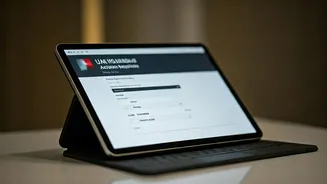
If your visa was issued by any emirate other than Dubai, the ICP Smart Services website is your destination. The process is straightforward and can be done using your passport details. First, navigate to the official ICP Smart Services website and find the 'Public Services' or a similar section. Look for an option called 'File Validity' or 'Application Status'. The most reliable method is to select 'Search by Passport Information' and then choose 'Visa' as the type. You will need to enter your passport number, passport expiry date, and select your nationality from the dropdown menu. After completing the security captcha, click 'Search'. The system will display your visa details, including its status, issue date, and expiry date.
How to Check Your Status on the GDRFA Dubai Portal
For visas issued specifically for Dubai, you must use the GDRFA Dubai website. Go to the official GDRFA portal and look for the service to check visa status or validity. The GDRFA provides a few ways to search. You can track an application in progress using your application number and transaction number. To check the validity of an already issued visa, you will typically need to provide your name, passport number, nationality, and date of birth. Once you enter the required information and complete the verification, your visa status and validity period will be displayed. For easier access on the go, the DubaiNow app also integrates GDRFA services.
Understanding Your Visa Status
When you check your visa, the status displayed will tell you what you need to know. 'Active' or 'Issued' means your visa is valid for travel. 'Expired' means the visa is no longer valid, and travelling on it is not possible; you may also incur overstay fines if you are in the UAE. 'Cancelled' means the visa has been voided, often by the sponsor. If your application is still being processed, the status might show as 'Pending' or 'In Process'. If no record is found, double-check that you are on the correct portal (ICP vs. GDRFA) and that you've entered all details without any errors.
Common Issues and What to Do
What if you can't find your visa or the details are incorrect? First, re-verify every detail you've entered, especially your passport number and expiry date. A single typo is the most common reason for failure. Ensure you are using the correct government portal based on the issuing emirate. If everything is correct but the visa still doesn't appear or shows incorrect information, contact your travel agent or sponsor immediately to rectify the error. For direct assistance, you can also contact the ICP call centre at 600522222 or the GDRFA (Amer) call centre at 800 5111 from within the UAE.