



Understanding Digital Eye Strain
That familiar discomfort after hours on a laptop has a name: Digital Eye Strain, or Computer Vision Syndrome. It's a group of eye and vision-related problems that result from prolonged use of computers, tablets, and smartphones. Symptoms are varied but
common, including eye fatigue, headaches, blurred vision, dry or watery eyes, and even neck and shoulder pain from poor posture. These issues arise because our eyes work harder to focus on screens than they do on printed text. We also tend to blink less—sometimes a third as often as normal—which leads to dryness and irritation.
The Brightness Balancing Act
Many assume that a brighter screen is a clearer screen, but when it comes to eye comfort, the opposite can be true. The key isn't maximum brightness, but balanced brightness. Your screen should not be the brightest source of light in the room. The ideal is to match your screen's brightness to the ambient light in your environment. A simple test is to hold a white sheet of paper next to your monitor; if the screen glows significantly brighter than the paper, it's likely too bright. In a standard office with 300-500 lux of light, a screen brightness of around 250-350 nits (or cd/m²) is often recommended. In a dimly lit room, that can drop to 120-180 nits to avoid harsh contrast that forces your eyes to constantly readjust.
Beyond Brightness: Glare and Blue Light
While brightness is a major factor, it's not the only one. Glare from windows or overhead lights can reflect off your screen, forcing your eyes to strain. Positioning your screen perpendicular to windows and using matte screen filters can significantly reduce this effect. Then there's blue light. While current evidence doesn't show that blue light from devices causes permanent eye damage, it is known to contribute to digital eye strain and can disrupt your natural sleep cycle by suppressing melatonin. Many devices now have a 'night mode' or blue light filter that warms the colour temperature of the screen, which can be easier on the eyes in the evening.
The Power of the 20-20-20 Rule
One of the most effective and simplest strategies for combating eye strain is taking regular breaks. Experts overwhelmingly recommend the '20-20-20 rule'. The rule is simple: for every 20 minutes you spend looking at a screen, you should take a 20 second break to look at something at least 20 feet (about 6 meters) away. This short exercise allows the focusing muscles inside your eyes to relax. Staring at a closeup screen for long periods keeps these muscles constantly engaged; looking into the distance gives them a muchneeded pause, helping to prevent fatigue, dryness, and headaches. Studies have shown this simple habit can provide significant relief from symptoms of digital eye strain.
Create an Eye Friendly Workspace
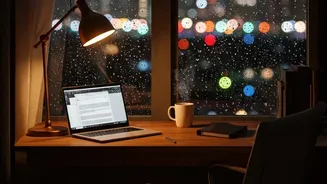
A few ergonomic adjustments can further enhance your comfort. Position your monitor about an arm's length away (roughly 20–28 inches) and ensure the top of the screen is at or slightly below eye level. This encourages a slight downward gaze, which is more natural and reduces strain on both your eyes and neck. If the text seems too small at that distance, increase the font size rather than leaning in. Also, consider your ambient lighting. Avoid working in a completely dark room, as the high contrast with your bright screen is stressful for your eyes. Instead, use soft, indirect lighting to create a balanced visual environment. A dim lamp or even 'bias lighting' (an LED strip behind your monitor) can soften the contrast and reduce fatigue.