




The Psychology of Convenience Scams
The speed of digital life is a fraudster's best friend. Scams succeed not by breaking complex technology, but by exploiting human psychology. [7, 11] They rely on us being busy, distracted, or in a hurry. A sense of urgency, fear, or even greed is often
used to manipulate you into acting without thinking. [2, 3] Fraudsters create a sense of panic—a fake warning about your account being blocked or an unbelievable offer—to prevent you from thinking rationally. [7] This social engineering is the backbone of most payment fraud; the goal is to trick you into authorising a transaction yourself, making it much harder to dispute later. [5, 11]
Common Scams in Your Payment App
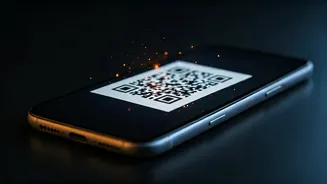
Fraudsters have adapted their tactics to the specific features of the apps we use daily. One of the most common is the QR code scam, or 'quishing'. [8, 17] A scammer might send you a QR code, claiming you need to scan it to receive money or a refund. In reality, scanning QR codes is only for *making* payments. [3, 4] Another prevalent trick is the fake 'collect request'. The notification might look like you're receiving money, but approving it and entering your UPI PIN actually sends money from your account. [5, 7] A simple rule can protect you: you never need to enter your PIN to receive money. [4, 15] Fraudsters also use phishing links sent via SMS or WhatsApp, disguised as KYC updates or delivery notifications, which lead to fake websites that steal your financial details. [2, 5]
Red Flags: How to Spot a Scam
Learning to recognise warning signs is your strongest defence. Be immediately suspicious of any unexpected payment requests. If you get a 'collect request' from someone you don't know, decline it. [4] Another major red flag is anyone asking for your UPI PIN or an OTP (One-Time Password) over the phone. [6, 10] Legitimate organisations like banks or payment apps will never call you and ask for this information. [10, 15] Also, be wary of pressure tactics. If a caller or message creates a sense of urgency, demanding you act immediately to avoid a penalty or claim a prize, it's almost certainly a scam. [2, 7] Finally, treat QR codes from unknown sources, especially those sent via email or chat, with caution. [9, 12] If a QR code is pasted as a sticker over another one, for instance at a parking meter or restaurant, avoid scanning it. [12, 24]
Your Digital Safety Checklist
Protecting yourself comes down to a few key habits. First, always verify before you transact. Instead of trusting a screenshot of a payment confirmation, check your own bank statement or app history to confirm the money has arrived. [6, 7] Second, secure your device and apps. Use a strong, unique PIN for your phone and your UPI app—they should not be the same. [4] Only download payment apps from official sources like the Google Play Store or Apple App Store. [6] Third, avoid conducting financial transactions on public Wi-Fi networks, which are often unsecured. [6, 10] Finally, enable transaction alerts and review your account activity regularly. [10] If you spot any unauthorised transaction, no matter how small, report it immediately to your bank and the National Cyber Crime Reporting Portal at 1930. [2, 4]