




What Exactly Are Magic Layers?
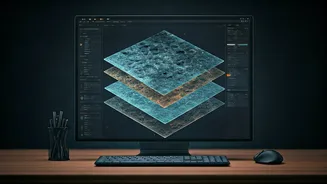
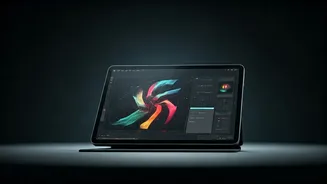
Magic Layers is a new AI feature within the popular design platform Canva. Its function is simple but revolutionary: it takes a flat, static image—like a JPG or PNG—and intelligently separates it into distinct, editable layers. Think of it like deconstructing
a finished cake back into its individual ingredients. The feature uses AI to identify the different components of an image, such as the subject, the background, and even text, and then makes each part independently movable and editable without manual tracing. This means you can reposition a person, change the colour of a background, or even edit text that was previously part of a flattened image, all within Canva.
The Problem It Solves
For anyone who works with visuals, the finality of a flat image file has always been a major hurdle. If you’ve ever used an AI image generator or received a design file without the original source, you know the pain. You get a static picture, and if you need to make a small tweak—like moving a logo, changing a headline, or just nudging an object to the left—you’re often forced to start from scratch. Magic Layers was built to bridge this gap, turning a static endpoint into a flexible starting point. It allows creators to refine and adapt AI-generated content or existing images without the frustrating process of rebuilding the entire design.
How It's Different from Background Remover
You might be thinking, "Doesn't Canva already have a Background Remover tool?" Yes, but Magic Layers serves a completely different purpose. The Background Remover tool identifies and deletes the background, leaving you with a cutout of the main subject. Magic Layers doesn't delete anything. Instead, it preserves all the components of the original image, simply separating them onto different layers. The key use case is creating depth and allowing for complex edits, like placing text between a subject and their background, an effect that is impossible with a simple background removal tool.
Who Is This For?
The applications for Magic Layers are broad, touching everyone from social media managers to professional designers. Marketers can quickly adapt campaign assets, placing text and graphics with a natural depth that makes them pop. Small business owners can refine product photography or update old marketing materials without needing to hire a designer for small changes. Even casual creators can benefit, making their presentations or social media posts look more polished and professional. In its first four weeks, the feature was used over nine million times, demonstrating its wide appeal. It is available to users on Canva's Pro, Teams, Education, and Nonprofit plans.
The Bigger Picture: AI and Creative Control
Magic Layers represents a significant step in the evolution of AI tools for creative work. While the first wave of AI was focused on generation—creating images from text prompts—the next frontier is about integration and control. By making AI-generated content editable, Canva is helping to close the gap between initial idea and finished product. The tool is now also available within other major AI platforms like Google's Gemini and OpenAI's ChatGPT, meeting creators where they are already working. This move signals a shift from AI as a pure generator to AI as a collaborative partner, giving human designers more power to refine and perfect their vision.