






The Foundation: Adjusting Your Chair Height and Support
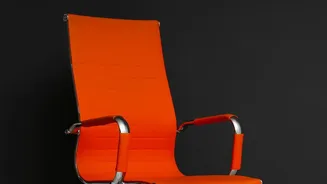
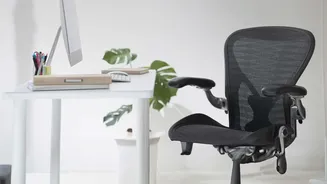
Your office chair is the foundation of a healthy posture, but only if it's adjusted correctly. Start with height. Your feet should rest flat on the floor with your knees bent at a comfortable 90-degree angle, aligned with your hips. This position helps
stabilize your pelvis and prevents you from slouching. If your feet dangle, you put extra pressure on the back of your thighs and lower back. If your knees are too high, it can cause your spine to round. Next, focus on the backrest. An ergonomic chair should have adjustable lumbar support that fits into the natural curve of your lower back. This support is crucial for preventing the spine from collapsing into a 'C' shape, a common source of strain. If your chair lacks built-in support, a small cushion or even a rolled-up towel can serve the same purpose. The goal is to feel supported without being pushed forward.
Fine-Tuning Your Seated Position
Beyond the basics of height and back support, other chair features play a key role. Check your seat depth; you should have a small gap, about two to three fingers wide, between the front edge of the seat and the back of your knees. This ensures your weight is evenly distributed and avoids cutting off circulation. Your armrests should be positioned so that your elbows can rest at a 90-degree angle, allowing your shoulders to relax. When your arms are supported, you reduce the tension that can travel from your shoulders down into your upper and lower back. Finally, ensure there is adequate room for your legs under the desk, free from boxes or other obstructions that might force you into an awkward, twisted posture.
The Crucial Link: How Monitor Height Affects Your Spine
It may seem disconnected, but the height of your monitor has a direct impact on your lower back. When your screen is too low, you naturally crane your neck and slump your shoulders forward to see it. This forward head posture doesn't just strain your neck; it pulls your entire upper spine out of alignment, causing the lower back to round and bear extra weight. Conversely, a monitor that is too high forces you to tilt your head back, compressing the vertebrae in your neck and creating tension that can radiate downwards. The spine works as a single, interconnected unit. An issue that starts at the top, like poor neck alignment, will inevitably create compensating stress at the bottom, right in your lumbar region.
Finding the Sweet Spot for Your Screen
Getting your monitor position right is straightforward. Sit back in your properly adjusted chair and look straight ahead. The top of your monitor screen should be at or just slightly below your eye level. This allows you to view the entire screen without tilting your head up or down. Your eyes should naturally fall on the upper third of the display. In terms of distance, a good rule of thumb is to position the monitor about an arm's length away. You should be able to comfortably read the text without leaning forward or squinting. For those who use laptops, the low screen height is a built-in ergonomic challenge. Using a separate laptop stand to raise the screen to eye level and an external keyboard and mouse is highly recommended to maintain a healthy posture.
Beyond the Setup: The Importance of Movement
Even the most perfectly ergonomic workstation cannot eliminate the stress of remaining static for hours. The human body is designed to move. Prolonged sitting, regardless of posture, weakens the muscles that support your spine and reduces blood flow. To counteract this, make it a priority to take short breaks at least every 30 to 60 minutes. Stand up, stretch, or take a brief walk around the office or your home. These small movements prevent stiffness, improve circulation, and help reset your posture. Combining a well-adjusted workspace with regular movement is the most effective strategy for keeping your back healthy and pain-free.