



What Is a Time-Lapse Video?
A time-lapse is a creative video technique that condenses a long period into a few seconds or minutes. Instead of recording a continuous video, the camera captures frames at a much slower rate—for example, one photo every few seconds. When these frames are
played back at normal speed, time appears to be moving much faster. This effect transforms slow, almost unnoticeable processes into a dynamic visual story. It’s perfect for showing the rhythm of things that are normally too slow to watch, like a flower blooming, shadows moving across a room, or stars wheeling across the night sky.
Finding the Feature on Your Phone
Most modern smartphones, whether running iOS or Android, have a time-lapse function built directly into the native camera app. To find it on an iPhone, simply open your camera and swipe through the modes at the bottom of the screen until you see 'TIME-LAPSE'. On most Android devices, including Samsung phones, you may need to open the camera app, swipe to your video modes, and look for an option called 'TIME-LAPSE' or 'HYPERLAPSE'. Sometimes it's tucked away in a 'More' menu along with other creative shooting options.
Stability Is Everything
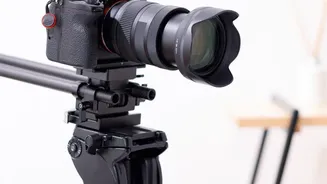
The single most important rule for a good time-lapse is to keep your phone perfectly still. Even the slightest wobble or shift during recording will result in a shaky, jarring video that is difficult to watch. While you can try propping your phone against a book or a coffee mug, the best way to ensure stability is by using a tripod. Simple, inexpensive smartphone tripods are widely available and will make a dramatic difference in the quality of your final video. Once you press record, resist the temptation to touch or adjust the phone until the recording is complete.
Choose a Subject with Movement
A time-lapse video needs one key ingredient: change. Pointing your camera at a static scene won't become interesting just because it’s sped up. Look for subjects that evolve over time. Excellent choices for beginners include clouds moving across the sky, a sunset or sunrise, busy city traffic, or a crowd of people moving through a public square. You can also get creative indoors by documenting a process, like a meal being prepared from start to finish, a drawing taking shape, or a room being tidied up. The core question to ask is, 'What will look different here in 30 minutes?'
Manage Your Battery and Storage
Recording a time-lapse, which can take anywhere from 15 minutes to several hours, is a battery-intensive process. Before you start a long recording session, make sure your phone is fully charged. If you plan to shoot for an extended period, it's wise to plug your phone into a power source or connect it to a portable power bank. Time-lapse files can also be quite large, so check that you have enough free storage space on your device before you begin. Nothing is more frustrating than having a recording cut short because you ran out of power or memory.
Be Patient and Let It Record
The magic of time-lapse requires patience. A few seconds of final video can require a significant amount of real-world recording time. For example, recording for 15 to 30 minutes might only yield a 10-second clip, depending on your phone's settings. Once you've framed your shot and pressed the record button, the best thing you can do is walk away and let the phone do its job. Trust the process and give your scene enough time to unfold. The built-in modes on phones are designed to be simple, automatically handling the complex calculations to create a smooth, ready-to-watch video when you're done.