






The Daily Grind of Calendar Management
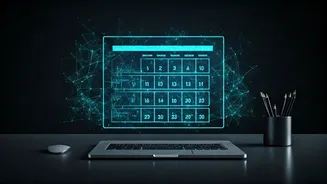
Take a quick glance at your calendar for the week. How much of it makes immediate sense? It’s likely a mix of vaguely titled meetings (“Catch-up”), recurring project check-ins, and personal appointments. To make it navigable, you might spend precious
minutes every week manually colour-coding events, adding project tags, or sorting invites into different categories. This isn’t just a minor annoyance; it's a significant productivity drain. The time spent organising is time not spent on deep work, strategic thinking, or simply taking a break. This manual labour is a tax on our attention. In a fast-paced professional environment, especially in India’s bustling corporate sector, this cumulative loss of focus can be the difference between a productive week and a week spent just trying to keep up.
Decoding the Tech Buzzwords
The headline sounds like something from a sci-fi movie, but let's break it down. “Advanced Adaptive Workspace AI Systems” refers to the smart software now being built directly into the tools you already use, like Google Workspace and Microsoft 365. The key word is ‘adaptive’. This isn’t a rigid, rule-based system. The AI learns from your behaviour—who you meet with, the projects you work on, and the types of events you prioritise. ‘Workspace AI’ simply means this intelligence lives inside your work ecosystem, communicating between your email, calendar, and documents. The final piece, ‘Automate Calendar Tagging’, is the outcome. Instead of you manually labelling an event as ‘Project Alpha’ or ‘Client Meeting’, the AI does it for you based on the context it gathers.
How It Works in Practice
Imagine this: an email arrives from your biggest client with the subject line “Urgent: Q4 Strategy Review.” An AI-powered system doesn't just see a meeting invite. It analyses the sender, the keywords ‘urgent’ and ‘strategy review’, and your past interactions with this client. It then creates the calendar event and automatically tags it with #ClientName, #Urgent, #Strategy, and #Q4. Later, when your team lead schedules a “Weekly Sync,” the AI recognises the attendees and title, tagging it #Internal, #TeamMeeting, and #ProjectPhoenix. It learns that meetings with your boss are #OneOnOne, while sessions blocked out for writing are #DeepWork. This happens instantly and in the background. The system adapts over time; if you manually re-tag an event, the AI learns your preference for the future, becoming a more accurate and personalised assistant with each interaction.
The Real Benefits: More Than Just a Tidy Calendar
A neatly tagged calendar is satisfying, but the true value lies in what it enables. Suddenly, you have superpowers. Need to see how much time you spent on ‘Project Alpha’ last month? Simply filter by that tag. The system can generate an instant report. Want to protect your focus time? You can set your communication apps to automatically go into ‘Do Not Disturb’ mode whenever a #DeepWork event begins. This automated context-switching reduces notification fatigue and helps you stay in the zone. For managers and team leads, the benefits are multiplied. They can get an anonymised, high-level view of how time is allocated across different projects or clients without micromanaging or demanding tedious timesheets from their team. It transforms the calendar from a static schedule into a dynamic, searchable database of your most valuable resource: your time.
The Future is Proactive, Not Just Organised
Automated tagging is just the beginning. The next evolution of these adaptive AI systems is proactive assistance. Instead of just organising what’s already there, the AI will start anticipating your needs. For example, it might see you have back-to-back meetings and suggest scheduling a 15-minute break in between. Before a meeting with a new contact, it could automatically pull up their LinkedIn profile and your last email exchange. It could even analyse your workload for the upcoming week, identify potential conflicts or periods of extreme overload, and suggest rescheduling less critical tasks. The goal is to move from a reactive relationship with our digital tools to a collaborative one, where the technology works ahead of us to smooth out the friction of modern work.