







Stop and Scrutinise the Request
The single most important step is to pause before you approve any payment. Scammers thrive on creating a sense of urgency, hoping you'll act before you think. When a request comes in, especially an unexpected one, take a moment to examine it closely.
Who is it from? Do you recognise the sender or the business name? Many UPI-based scams involve fraudsters sending a 'Collect Request' while pretending they are sending you money. They might claim you need to approve the request and enter your PIN to receive a payment or refund, which is false. Remember, you never need to enter your UPI PIN to receive money. That action is only for authorising a payment from your account.
Confirm 'Pay' vs. 'Receive'
A common tactic, particularly with UPI apps, involves manipulating the user interface to trick you. Fraudsters send a payment request and message you separately, claiming it is a request to 'receive' money. They are counting on you not reading the on-screen prompt carefully. Before you enter your PIN, every payment app will clearly state whether you are sending or receiving funds, and it will show the amount and the recipient. Always read this final confirmation screen carefully. If the screen says 'Pay' or 'Authorise Payment' when you are expecting to receive money, it is a scam. Decline the transaction immediately and block the user.
Never Trust a Screenshot
In online marketplace transactions, a frequent scam involves the 'buyer' sending a fake payment confirmation screenshot. These screenshots can be easily doctored to look like a genuine UPI or bank transfer confirmation, complete with transaction IDs. The scammer then pressures you to ship the item or hand over the goods quickly. Do not treat a screenshot as proof of payment. Always verify the credit independently by checking your bank account statement or the transaction history within your official UPI app. A legitimate transaction will appear in your account records almost instantly. If you don't see the money credited, the payment was not made.
Use a Separate Channel for Verification
If you receive a payment request from a person or business you know, but the request seems unusual, contact them through a different, trusted channel to verify. For example, if a friend sends a request on WhatsApp claiming they have an emergency, call them on their mobile number to confirm it's really them. Scammers can create fake profiles impersonating people you know. Similarly, if you receive a request purportedly from a company, do not use the contact details provided in the suspicious message. Instead, find the official customer care number or email address from the company's official website and use that to make your enquiry.
Beware of QR Code Scams
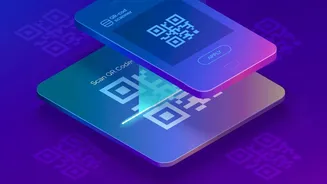
Another prevalent fraud involves QR codes. A scammer might send you a QR code and claim you need to scan it to receive a payment, refund, or cashback offer. In reality, scanning a QR code is almost always used to initiate a payment from your account, not to receive one. Never scan a QR code from an unknown or untrusted source. Be especially wary if someone is pressuring you to scan a code to 'claim' money you've supposedly won or are owed. Legitimate companies will credit refunds or winnings directly to your account without requiring you to scan a QR code and enter your PIN.
What to Do If You Suspect Fraud
If you receive a suspicious payment request, the first step is to decline it. Do not engage further with the sender. Block their number or user profile on the app. You should also use the app's reporting feature to flag the user for fraudulent activity. If you were scammed, you must act fast. Immediately contact your bank or credit card company to report the fraudulent transaction and see if the payment can be stopped or disputed. You should also file a report on the National Cyber Crime Reporting Portal at cybercrime.gov.in or by calling the helpline number 1930.