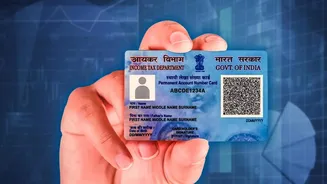







Reprint vs. Correction: The Most Crucial Step
Before you begin, it’s vital to understand the difference between a 'reprint' and a 'correction'. This is the most common point of confusion. A reprint is for when you've lost or damaged your card, but all your details (name, date of birth, photo) are
perfectly correct in the Income Tax Department's records. You just need a new physical copy. A correction, on the other hand, is required if you need to update any information, such as a name change after marriage, a new photo, or a corrected date of birth. Choosing the wrong option will lead to delays and wasted fees. This guide focuses on the 'reprint' process, where no data changes are needed.
Gather Your Information Before You Start
The online reprint process is designed to be fast, and having your information ready makes it even smoother. For a straightforward reprint using the modern online portals, you typically do not need to upload any documents if your Aadhaar is up to date and linked. The system uses Aadhaar-based e-KYC for verification. You will need three key pieces of information: Your 10-digit PAN number, your Aadhaar number, and your date of birth. Also, ensure you have access to the mobile number registered with your Aadhaar, as you will receive a One-Time Password (OTP) for verification. The fee for a PAN reprint is nominal, currently costing ₹50 for delivery within India and ₹959 for an overseas address, payable online.
Choose the Correct Online Portal
The Government of India has authorised two entities to manage PAN services: Protean eGov Technologies (formerly NSDL e-Governance) and UTI Infrastructure Technology And Services Limited (UTIITSL). You should apply for a reprint on the same portal that processed your original or most recent PAN application. If you’re not sure which one it was, there’s an easy way to check. Simply try to start the reprint process on one of the portals. If it doesn't recognise your PAN details, it's a clear sign you should use the other one. Both portals are official and follow a similar process.
Step-by-Step Online Application Guide
While the interface may vary slightly, the steps on both Protean and UTIITSL portals are largely the same. First, navigate to the official website and find the section for 'Reprint of PAN Card'. You will be prompted to enter your PAN, Aadhaar number, and date of birth. After submitting these details, you will need to agree to the terms and verify your identity using an OTP sent to your registered mobile number or email. Once the OTP is validated, the system will show your address details as per the records. This is the address where your new card will be dispatched. Finally, you will proceed to the payment gateway to pay the application fee using a debit card, credit card, net banking, or UPI.
After You Apply: Tracking and Delivery
Upon successful payment, you will receive an acknowledgement number. It is crucial to save this number, as you will need it to track the status of your application. You can check the progress on the same portal where you applied by entering this acknowledgement number. You will typically receive an e-PAN, a digital version of your card, in your email almost instantly or within a few hours. The physical, laminated PAN card will be printed and dispatched to your communication address on record. This usually takes about 10 to 20 working days to arrive.