
The End of Generic Stock Photos
For years, creating a visually compelling presentation meant one of two things: painstakingly designing graphics yourself or spending hours scrolling through stock photo libraries for a semi-relevant, uninspired image. The result was often a deck that
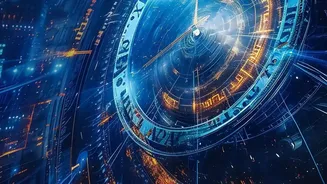
looked generic and failed to make a real impact. Artificial intelligence is changing this reality. AI image generators like Midjourney and DALL-E 3 can create high-quality, completely original visuals from a simple text description. Instead of searching for an image that fits your message, you can now generate one that is perfectly tailored to it, saving time and elevating your storytelling.
Speed, Customisation, and Consistency
The primary benefit of using AI for presentation visuals is efficiency. What once took designers hours or even days can now be accomplished in minutes. This speed allows presenters to focus more on the narrative and less on the tedious task of visual production. Beyond speed, the level of customisation is a game-changer. You can ask for a 'photorealistic image of a diverse team collaborating in a modern office with natural light' or an 'abstract illustration of data connectivity in a watercolour style'. This specificity ensures your visuals are not just decorative but are integral to the story you're telling. Furthermore, tools now allow for greater consistency across an entire deck. By using features like style and character references, you can ensure all your generated images share a cohesive look and feel, adding a layer of professionalism that was once difficult to achieve.
Choosing Your AI Co-Pilot
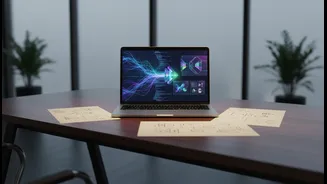
The market for AI tools is expanding rapidly. Some, like Midjourney, are renowned for their singular focus on generating high-quality, artistic images. Others, such as OpenAI's DALL-E 3, are integrated into broader platforms like ChatGPT and Microsoft's Copilot, making them easily accessible for generating visuals while you work. There are also dedicated AI presentation makers like Gamma, Canva, and Adobe Express, which go a step further. These platforms don't just create images; they can generate entire slide layouts, text summaries, and data visualisations from a simple prompt, automating much of the creation process from start to finish. Many presentation software suites, including Microsoft PowerPoint and Google Slides, are now integrating these AI capabilities directly, allowing users to create images without leaving their workflow.
Best Practices for Visual Storytelling
To get the most out of these tools, effective prompt writing is key. Be specific with your descriptions. Instead of asking for 'a picture of a dog,' try 'a photorealistic image of a golden retriever puppy sitting in a field of poppies.' Include details about style, colour, lighting, and composition. It's also important to remember that images should support, not distract from, your message. Use visuals to simplify complex ideas, evoke emotion, or highlight key data points. Ensure your chosen images align with your overall theme and brand. Finally, always review AI-generated images for accuracy and appropriateness, especially when depicting data or sensitive subjects.
A New Partner in Creativity
While AI is a powerful tool for visual generation, its role is expanding. Many platforms now assist with structuring your entire presentation, suggesting outlines, writing speaker notes, and even optimising slide flow for maximum impact. This evolution marks a fundamental shift in how we approach presentations. AI is not just a replacement for stock photo sites; it is becoming a creative partner that helps brainstorm, design, and refine ideas. By handling the repetitive and time-consuming tasks of design, AI frees up professionals to concentrate on what matters most: crafting a clear, persuasive, and memorable message.