







Checking your Provident Fund balance only to find that contributions are missing can be a source of significant stress. Fortunately, the Employees' Provident Fund Organisation (EPFO) provides a powerful online tool to resolve such discrepancies.
Why PF Contributions Go Missing
Before
filing a complaint, it's helpful to understand why your PF deposits might not be reflecting in your account. The issue often stems from a few common causes. It could be a simple administrative error or a delay in processing by your employer. In other cases, the employer may have deducted the amount from your salary but failed to deposit it with the EPFO. Another frequent reason is incomplete or mismatched KYC details in your Universal Account Number (UAN) profile, which can stall the credit of funds. Understanding the potential cause can help you frame your grievance more effectively.
Meet the EPFiGMS Portal
The EPFO's Integrated Grievance Management System, known as EPFiGMS, is a dedicated online portal designed to address complaints from PF members, EPS pensioners, and employers. Its primary purpose is to provide a transparent and accountable mechanism for resolving issues without the need to physically visit an EPFO office. When you file a complaint on the portal, it is officially recorded, assigned a unique registration number, and routed to the concerned regional office for resolution, creating a formal paper trail.
A Step-by-Step Guide to Filing Your Grievance
The process of lodging a complaint is straightforward and entirely digital. First, visit the official EPFiGMS portal at epfigms.gov.in and click on 'Register Grievance'. You will then be prompted to select your status, such as 'PF Member'. Enter your Universal Account Number (UAN) and the security code, after which an OTP will be sent to your registered mobile number for verification. Once authenticated, your personal details will be auto-populated. Select the PF account number related to your grievance. Next, choose the appropriate grievance category, such as 'contribution not received'. In the description box, provide a clear and detailed explanation of the issue, including relevant dates and amounts. Finally, upload any supporting documents and submit the form.
Essential Information to Have Ready
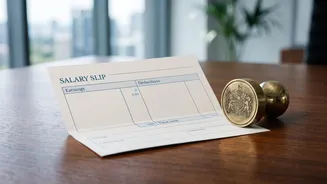
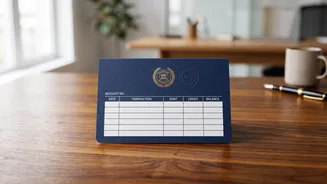
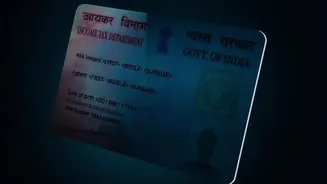
To ensure a smooth filing process, it is best to gather all necessary information and documents beforehand. You will need your UAN, the registered mobile number for OTP verification, and your PF account number. The most crucial evidence for a non-credit issue is your salary slips showing the PF deduction. It is also helpful to have screenshots of your PF passbook where the contributions are missing, along with your PAN and Aadhaar details for KYC verification. These documents can be uploaded in PDF, JPG, or PNG format to substantiate your claim.
What Happens After You Submit?
Upon successful submission, you will receive a unique grievance registration number via SMS and email. This number is essential for tracking the progress of your complaint. You can check the status at any time by visiting the EPFiGMS portal and clicking on 'View Status'. The EPFO generally aims to resolve grievances within 15 to 30 days. The portal will show the current status, such as 'Under Process' or 'Disposed'. If your issue is not resolved within this timeframe, you can also use the portal to send a reminder to the concerned department. For unresolved issues, you can escalate the matter to the Regional PF Commissioner or use the central government's CPGRAMS portal.
Other Grievances You Can Raise
The EPFiGMS portal is not just for uncredited contributions. It is a comprehensive platform for a wide range of issues. Members can file complaints regarding delays in PF withdrawal or transfer requests (Form 13), incorrect balances in the passbook, and issues with pension settlement. The portal also addresses problems related to UAN activation, incorrect personal data, and linking of bank account or Aadhaar details for KYC. Essentially, any service-related issue that has not been resolved through standard channels can be formally reported through this system.