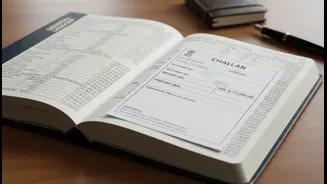





What Exactly Is a Tax Challan?
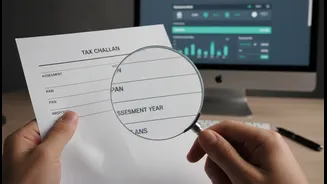
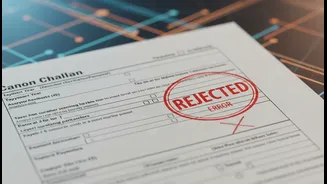
Think of a tax challan as the official receipt for any tax you pay directly to the government. When you pay advance tax, self-assessment tax, or any other tax dues that aren't covered by TDS (Tax Deducted at Source), you use a form called ITNS-280. Once
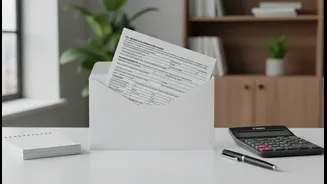
you make the payment, either online or at a bank, you receive a challan receipt. This document contains crucial information, including a Challan Identification Number (CIN), which is proof that your tax has been deposited with the government. This challan is the bridge connecting your tax payment to your ITR, and ensuring the details on it are correct is a non-negotiable step for a smooth filing process.
Why This Simple Check Is So Important
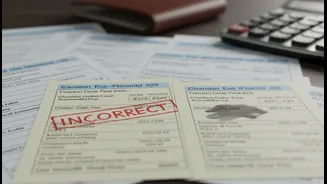
An error on your tax challan can cause significant problems. If details like your Permanent Account Number (PAN) or the Assessment Year (AY) are wrong, the tax you paid might not be credited to your account. This leads to a mismatch between the tax you've claimed in your ITR and the data in the Income Tax Department's records, specifically in your Form 26AS (your annual tax statement). The consequences can be frustrating: your ITR could be marked as defective, your tax refund could be delayed or reduced, or you might even receive an automated tax demand notice for a liability you have already paid. Verifying your challan details beforehand ensures the tax credit is correctly reflected, preventing unnecessary stress and follow-ups with the department.
The Four-Point Verification Checklist
When you review your challan receipt, focus on these four critical fields. A mistake in any of them can cause issues. 1. PAN: Ensure your Permanent Account Number is absolutely correct. A single wrong digit can credit the tax to someone else's account. 2. Assessment Year (AY): This is one of the most common errors. For income earned between April 1, 2025, and March 31, 2026, the correct AY is 2026-27. Selecting the wrong year means the tax won't be matched against the correct return. 3. Tax Codes (Major and Minor Head): The challan requires you to specify the nature of the tax. The Major Head for individuals is '0021' (Income-Tax Other than Companies). The Minor Head specifies the type of payment, such as '100' for Advance Tax or '300' for Self-Assessment Tax. Incorrect codes can lead to misclassification of your payment. 4. Amount: Double-check that the amount recorded on the challan matches the amount you actually paid.
How to Check Your Challan Status Online
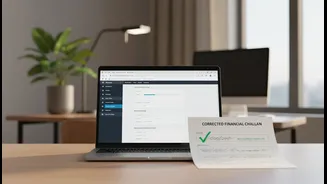
Verifying your challan status is a quick process. You can do it through two main portals. On the Income Tax e-Filing Portal: 1. Log in to the official income tax portal (incometax.gov.in). 2. Navigate to the 'e-File' menu, then 'e-Pay Tax'. 3. Click on the 'Payment History' tab. Here, you will see a list of all tax payments you have made. You can view and download the challan receipt for each transaction. This is the simplest way to confirm the details. On the TIN-NSDL Portal (now Protean): 1. Visit the TIN website and find the 'Challan Status Inquiry' page. 2. You can search using either the CIN (Challan Identification Number) or your TAN (if applicable). For individual taxpayers, the CIN-based view is most common. 3. You will need the BSR Code of the bank branch, the challan serial number, and the date of deposit, all of which are on your challan receipt. This will confirm if the bank has correctly remitted your payment to the tax department's account.
Spotted an Error? Here Is the Fix
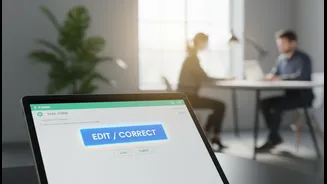
If you find a mistake, don't panic. The Income Tax Department has created an online facility to correct certain errors. For challans paid for Assessment Year 2020-21 onwards, you can log in to the e-filing portal and navigate to 'Services' > 'Challan Correction'. You can submit a request to correct the Assessment Year, Major Head, or Minor Head. However, this is time-sensitive. A request to change the AY must be made within 7 days of payment, while changes to the Major and Minor heads are allowed within 30 days. For other errors, such as an incorrect PAN, or if the time limit for online correction has passed, you will need to contact the bank branch where you deposited the tax. In some cases, you may have to approach your Jurisdictional Assessing Officer with a written request and supporting documents to get the challan rectified.