





The Problem with That Stack of Books
We’ve all done it: grabbed a few hardcover books to prop up our laptop seconds before a video call. While it seems like a clever, no-cost solution, it's fraught with risks. First, there's the danger of instability. A poorly balanced stack can easily topple,
sending your expensive laptop crashing to the floor. Second, and just as critical, is the issue of heat. Laptops have air vents, often on the bottom or sides, to dissipate heat. Placing your machine flat on a surface like a book can block this airflow, causing it to overheat. Overheating doesn't just slow down your computer; over time, it can cause permanent damage to its internal components. Lastly, stacking things on top of a closed laptop can damage the screen from the pressure.
Solution 1: Invest in an External Webcam
The single most effective way to solve the angle problem is to decouple the camera from your laptop screen. An external webcam gives you complete freedom to position it for the most flattering, eye-level shot. You can place it on top of your main monitor, on a small tripod on your desk, or even mount it to a shelf. Today's webcams offer vastly superior image quality compared to the built-in cameras on most laptops, with better performance in low light and higher resolutions. Models like the Logitech Brio 500 or Anker PowerConf C200 provide excellent 1080p video, while others offer 4K for ultimate clarity. This is the best long-term solution for anyone who spends significant time on video calls.
Solution 2: Use a Dedicated Laptop Stand
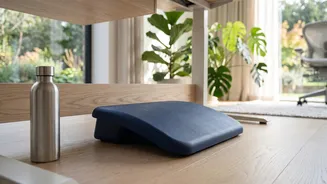
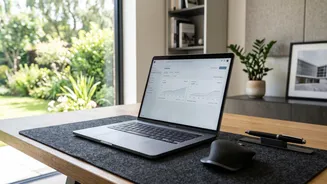
If you prefer using your laptop's built-in camera, a dedicated stand is the safest way to elevate it. Unlike a stack of books, a proper laptop stand is engineered for stability and ergonomics. They are designed to hold your machine securely while promoting airflow to prevent overheating. Many stands are adjustable, allowing you to raise your laptop's screen to the perfect eye level, which reduces neck strain. Options range from simple, fixed risers to highly adjustable models that can be configured for both sitting and standing desks. Some even come with 360-degree rotating bases for easy screen sharing or integrated USB hubs for better cable management.
Solution 3: Try a Mini Tripod or Mount
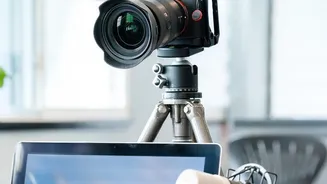
For those who opt for an external webcam, a small tripod or flexible mount offers maximum versatility. A mini-tripod can sit on your desk, allowing you to place the camera exactly where you want it—centered and at eye level—regardless of your monitor setup. Many webcams come with a standard 1/4-inch screw mount on the bottom, making them compatible with most tripods. There are also specialized clip-on mounts that can attach a webcam directly to the top or side of your monitor, providing a secure and stable perch without taking up desk space. This is an affordable and highly flexible way to achieve a professional-looking angle.
Solution 4: The DIY Monitor Shelf
If you enjoy a more hands-on approach, a simple DIY shelf can be an elegant and sturdy solution. Installing a small, narrow floating shelf on the wall behind your desk, positioned just above your monitor, creates a perfect platform for an external webcam. This keeps your desk clear and allows you to place the camera at the ideal height. Another option is a simple wooden monitor riser—a small, bench-like stand that elevates your monitor and creates space underneath for storage. This not only raises your screen to a more ergonomic height but also provides a stable surface for a webcam, ensuring you get that perfect, straight-on shot.