






Why Your Resume Is Not Enough
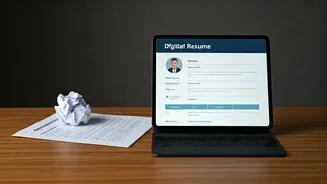
Think of a recruiter at a top global firm sifting through hundreds of applications. Most resumes look the same: a list of job titles, bullet points, and educational qualifications. They communicate what you've done, but they rarely show *how* you did
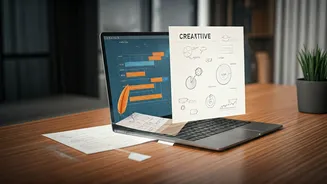
it or the impact you made. This is especially true for roles in tech, design, marketing, and other creative or project-based fields. A traditional CV can’t display your code, showcase a marketing campaign’s visuals, or let a recruiter interact with your design prototype. Global recruiters are looking for proof of skill, not just claims. A personal portfolio website bridges this gap, offering a living, breathing demonstration of your capabilities and professional story.
What Makes a Portfolio 'Interactive'?
The word 'interactive' isn't just about flashy animations or complex navigation. In the context of a professional portfolio, it means creating an engaging experience that allows a recruiter to explore your work on their own terms. It’s about providing depth. Instead of saying you “led a project,” you present a detailed case study with visuals, data, and a summary of the outcome. For a developer, it might mean embedding a live demo or linking to a GitHub repository with well-documented code. For a writer, it could be showcasing articles in a clean, readable format rather than plain PDF links. Interactivity is about transforming a passive reading experience into an active exploration of your talent.
Core Components of a Killer Portfolio
A strong portfolio is more than a collection of work; it's a strategic narrative. It should be built around a few essential elements. First, a compelling 'About Me' section that is more than a bio—it’s your professional pitch. Explain who you are, what you do, and what you’re passionate about. Second, feature 3-5 of your best projects. Don't just dump everything you've ever done. Curate your strongest work and present each one as a mini-case study: outline the problem, your process, your specific role, and the tangible results. Third, include clear testimonials or recommendations from past clients, managers, or colleagues to build credibility. Finally, make it incredibly easy for recruiters to contact you. A simple, professional contact form and prominent links to your LinkedIn profile are non-negotiable.
Choosing Your Platform: Keep It Simple
The fear of technical complexity stops many people from starting. But you don't need to be a coder to build a stunning portfolio. Modern no-code platforms have made it easier than ever.
- Website Builders (Wix, Squarespace, Carrd): These are excellent for beginners. They offer professional templates that are mobile-responsive and require zero coding. You can drag and drop elements to build a site in an afternoon. They are perfect for consultants, marketers, and writers.
- Portfolio-Specific Platforms (Behance, Adobe Portfolio): If you are a designer or visual artist, these platforms are integrated into your workflow and provide a community context for your work.
- Advanced Builders (Webflow, Framer): For those with some design sense or a desire for more customisation without deep coding, these offer more power and flexibility. They are a favourite among UI/UX designers.
The best tool is the one you will actually use. Start with a simple template and focus on the quality of your content.
Common Mistakes to Avoid
A bad portfolio can be worse than no portfolio at all. Avoid these common pitfalls. First is a poor mobile experience. Many recruiters will first view your site on their phone, so ensure it looks great on all screen sizes. Second, broken links or slow loading times. Test every link and optimise your images to ensure your site is fast and functional. Third, focusing too much on flashy design at the expense of clarity. The goal is to make it easy for a recruiter to find the information they need, not to win a web design award (unless that's your job!). Keep navigation simple and intuitive. Finally, don’t hide your contact information. It should be one of the easiest things to find on your site.