






The Starting Point: Your Reference ID
When you submit an application for correction (Form 8) on the Voters' Service Portal, you are issued a unique Reference ID. This number is the key to tracking your application's journey through the system. It is usually displayed on the screen upon submission
and also sent to your registered mobile number or email. If you misplace it, you can often find it by logging into your account on the portal, where your submitted applications are listed.
Tracking on the Voters' Service Portal
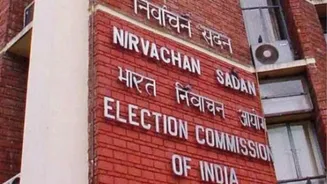
The primary platform for tracking your status is the Election Commission of India's official Voters' Services Portal (voters.eci.gov.in). The process is simple: 1. Visit the website voters.eci.gov.in. 2. On the homepage, locate and click on the 'Track Application Status' option. 3. You will be prompted to enter your application's Reference ID and select your state. 4. After entering the details, click 'Submit'. The portal will then display the current status of your correction application.
Using the Voter Helpline App
For those who prefer using a smartphone, the Election Commission's 'Voter Helpline' app offers the same functionality. It is available for both Android and iOS devices. The steps are similar to using the website: 1. Open the Voter Helpline app. 2. Find the 'Track Application Status' feature, which might be under an 'Explore' menu. 3. Enter your Reference ID. 4. Tap 'Submit' to view the progress of your application. The app is a convenient alternative and can sometimes be faster than the website during periods of high traffic.
Understanding the Application Status
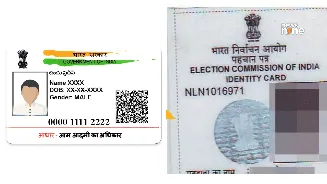
As your application is processed, its status will change. Here’s a quick guide to what each stage means: - 'Submitted': Your form has been successfully received by the system. - 'BLO Appointed': A Booth Level Officer (BLO) has been assigned to your application. This officer is responsible for local verification. - 'Field Verified': The BLO has completed their verification process, which might involve a home visit or a phone call to confirm your details. - 'Accepted' or 'EPIC Generated': Congratulations, your correction has been approved and your details will be updated in the electoral roll. You can then download your updated e-EPIC (digital voter ID). - 'Rejected': Your application could not be processed. The reason for rejection will typically be mentioned.
What to Do If Your Application Is Rejected
If your application is rejected, don't worry. The status update will usually include a reason, such as 'incomplete information' or 'failed field verification'. Your first step should be to understand this reason. You can then correct the error and re-submit your application. If the reason is unclear or you need further assistance, you can call the national voter helpline at 1950 (you may need to add your STD code). You can also use the portal to find the contact details for your local Booth Level Officer (BLO) or Electoral Registration Officer (ERO) for specific guidance.