








Understanding How Your Wi-Fi Signal Travels
Most home routers use omnidirectional antennas, which sounds like they broadcast a perfect sphere of signal in all directions. However, that’s not quite how it works. The signal actually radiates outwards in a pattern that is perpendicular to the antenna itself.
Imagine a vertical antenna pointing straight up; the Wi-Fi signal spreads out from it horizontally, like a flat doughnut. This is great for covering the floor the router is on. If you lay that same antenna down horizontally, the signal then radiates vertically, travelling up and down. Understanding this basic principle is the key to strategically eliminating dead spots in your home.
For Single-Story Homes: Point Them to the Sky
If you live in a flat, apartment, or a single-story house, the solution is straightforward. You want to maximize signal coverage across one horizontal plane. To do this, you should position all of your router’s antennas vertically, pointing straight up. This orientation sends the Wi-Fi signal spreading outwards across the floor, providing the widest possible horizontal reach. It ensures the signal is pushed towards the far corners of your rooms rather than being wasted by sending it into the floor and ceiling unnecessarily. For homes where all your devices are on one level, this is the simplest and most effective setup.
For Multi-Story Homes: The Perpendicular Rule
Covering multiple floors is a bigger challenge because you need your signal to travel both horizontally (across rooms) and vertically (between floors). This is where adjusting your antennas becomes crucial. For a router with two antennas, the widely recommended best practice is to position one antenna vertically and the other horizontally. The vertical antenna will handle the horizontal signal spread on each floor, while the horizontal antenna pushes the signal up to the floor above and down to the floor below. This combination creates a more three-dimensional signal web, significantly improving the chances that a device on another floor can establish a strong connection.
What About Three or More Antennas?
Modern routers often come bristling with three, four, or even more antennas. While it might look complex, the principle remains the same: diversity is key. Don't point them all in the same direction. Instead, fan them out to cover a variety of angles. A good strategy is to keep the central antenna vertical and then angle the outer antennas outwards at 30 to 45 degrees. This mixed-angle approach helps create a more robust and comprehensive signal bubble, covering more potential device locations and orientations throughout a multi-story home. Some experts suggest having a mix of vertical, 45-degree, and even horizontal antennas to maximize coverage in all directions.
Beyond Antennas: Placement Still Matters
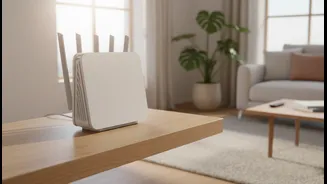
While antenna direction is a powerful tool, it works best when your router is in an optimal location. The ideal spot is as central as possible in your home, elevated off the floor on a shelf or table. Signals travel downwards more easily than upwards, so in a two-story house, placing the router near the ceiling on the first floor or near the floor on the second floor can help balance coverage. Keep it in the open, away from thick walls, large metal objects, and appliances like microwave ovens, which can interfere with the signal. Hiding your router in a cabinet or closet might look tidier, but you're effectively trapping the signal and creating your own dead zones.