





That familiar ache in your lower back after hours at a desk is a common complaint for many Indian professionals. But you don't have to live with it. Here are simple adjustments for your chair that can offer significant relief.
Start with Your Foundation: Seat Height
The first and most crucial
adjustment is your chair's height. The goal is to get your feet flat on the floor with your knees bent at a 90-degree angle. Your thighs should be parallel to the ground. If your feet are dangling, blood circulation can be restricted; if your knees are higher than your hips, it puts unnecessary strain on your lower back. If your desk is too high and forces you to raise your chair so your feet lift off the ground, use a stable footrest, a stack of sturdy books, or a small stool to provide that essential support.
Fine-Tune Your Seat Depth
Once your height is set, check the seat depth—the space between the back of your knees and the edge of the chair. You should be able to fit two or three fingers in this gap. Sit all the way back so your buttocks touch the back of the chair. If the seat is too deep, it can press against the back of your calves and knees, impeding blood flow. If it's too shallow, your thighs won't have enough support. If your chair's seat pan isn't adjustable, you can place a small cushion or a pillow behind your back to effectively shorten the depth.
Prioritise Lumbar Support
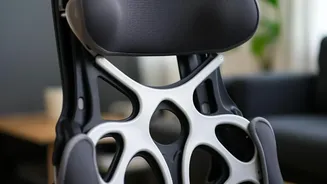
Your lower back has a natural inward curve (lordosis), and the goal of lumbar support is to maintain it. Slouching flattens this curve, straining the muscles and ligaments in your back. Position the chair’s lumbar support so it fits snugly into the curve of your lower back, roughly around your belt line. If your chair lacks built-in support, don't worry. You can create your own with a rolled-up towel, a small cushion, or even a full roll of paper towels. The support should feel firm and encouraging, not like it's aggressively pushing you forward.
Get Your Armrests Right
Armrests aren't just for resting your arms; they help reduce the strain on your neck and shoulders. Adjust them so your shoulders are relaxed and not hunched up towards your ears. Your elbows should be bent at a comfortable 90 to 100-degree angle, allowing your forearms to be parallel to your desk surface while typing. This neutral position prevents you from tensing your upper back and neck muscles throughout the day. If your armrests are too high or too wide and prevent you from getting close to your desk, it might be better to lower or remove them.
Look Beyond the Chair: Monitor and Keyboard
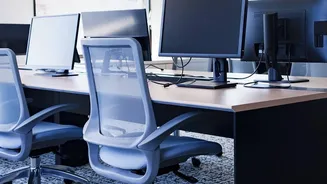
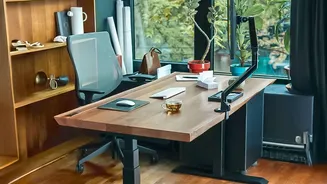
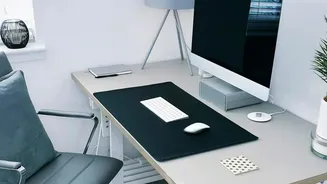
An ergonomically adjusted chair is only half the battle. Your posture is also dictated by your desk setup. Your computer monitor should be positioned so the top of the screen is at or just below eye level, about an arm's length away. This prevents you from craning your neck up or hunching down. Your keyboard should be placed so that you can type with flat, neutral wrists. The perfect chair setup can be undone if you are constantly leaning forward or twisting to see your screen.
The Best Posture Is Your Next Posture
Even with a perfectly adjusted chair, sitting in one position for hours is not ideal. The most important ergonomic habit is to incorporate regular movement. Set a reminder to get up, stretch, and walk around for a few minutes every 30 to 60 minutes. This interrupts the static load on your spine, improves circulation, and gives your muscles a much-needed break. Gentle stretches, like shoulder shrugs or a simple spinal twist in your chair, can also make a significant difference in preventing stiffness and pain.