





The Anatomy of the Office Slump
The modern office posture often involves leaning forward to look at a screen, causing the head to drift ahead of the shoulders. This position, often called 'tech neck' or 'slump posture,' forces the muscles in your neck and upper back to work much harder
to support the weight of your head. For every inch your head moves forward, the load on your cervical spine increases significantly. Over hours and days, this sustained strain can lead to muscle fatigue, pain, and stiffness, not just in the neck but also between the shoulder blades.
From Slump to Spinal Stiffness
Prolonged sitting, especially with poor posture, is a primary culprit behind spinal stiffness. When you remain seated for long periods, your spinal discs get compressed, which can reduce blood flow and hinder their ability to act as shock absorbers. This inactivity causes muscles that support the spine to weaken and ligaments to stretch, compromising spinal stability. The natural curves of your spine, particularly in the lower back, can flatten, putting extra pressure on the vertebrae and leading to that 'rusty' or stiff feeling when you finally stand up.
The Power of the Pause
Screen-free breaks are a powerful antidote to the sedentary slump. They are not just about resting your eyes; they are about resetting your entire body. Taking regular breaks to stand, walk, or stretch allows your spinal discs to decompress and rehydrate. Movement improves circulation, delivering fresh oxygen and nutrients to stiff muscles and joints. By stepping away from the screen, you break the cycle of static posture, re-engaging weakened muscles, and reminding your body what neutral alignment feels like. Even short, frequent breaks every 30 to 60 minutes can significantly reduce spinal pressure and prevent stiffness from setting in.
Designing Your Perfect Break
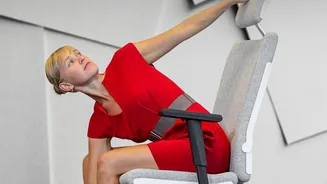
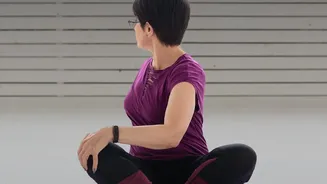
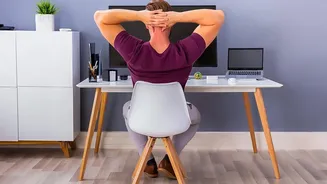
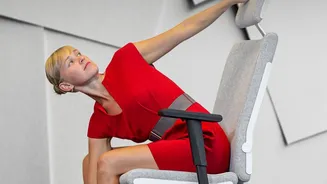
An effective break doesn't need to be long to be beneficial. The goal is to move your body in ways that counteract your sitting posture. Try the 20-20-20 rule: every 20 minutes, look at something 20 feet away for 20 seconds to reduce eye strain. For your spine, aim for a few minutes of movement every half-hour. Gentle neck tilts (side to side, and chin to chest), shoulder rolls, and seated spinal twists can release tension at your desk. If you can, stand up and perform a standing hip flexor stretch or a chest opener by clasping your hands behind your back to reverse the hunch. Even a short walk to get water helps.
Beyond the Break: Ergonomics Matter
While breaks are crucial, your daily workstation setup plays an equally important role in protecting your spine. Ensure your monitor is at eye level to prevent your head from tilting down. Your chair should provide good lumbar support, and your feet should be flat on the floor with your knees at a 90-degree angle. Position your keyboard and mouse so your elbows can maintain a relaxed 90-degree angle close to your body. A proper ergonomic environment reduces the initial strain, making it easier to maintain good posture throughout the day and maximising the benefits of your screen-free breaks.