






Why You Should Automate Flashcard Creation
Manually creating flashcards is one of the most effective study methods, but it's also incredibly time-consuming. For every hour of lecture, you can spend another 30 minutes or more just writing out question-and-answer pairs. This is where automation
becomes a game-changer. Using AI to generate flashcards from audio lectures saves hours of manual work, allowing you to spend more time on what actually matters: studying the material. This process leans on two proven learning techniques: active recall and spaced repetition. Active recall, the process of retrieving information from memory, strengthens neural pathways far more effectively than passively re-reading notes. Spaced repetition, reviewing material at increasing intervals, helps transfer knowledge into your long-term memory. AI tools streamline the creation process, so you can immediately start using these powerful techniques.
The AI-Powered Workflow: From Audio to Flashcards
The entire process can be broken down into a few simple steps, often handled by a single, integrated application. The general workflow involves recording the lecture, letting an AI tool transcribe the audio into text, and then using that same tool—or another AI—to analyze the text and generate flashcards. Many modern AI study platforms are designed to handle this entire pipeline, turning a one-hour lecture into a ready-to-use study deck in minutes. This approach turns passive listening into an active study session, transforming hard-to-review audio into structured, searchable knowledge.
Step 1: Capture High-Quality Lecture Audio
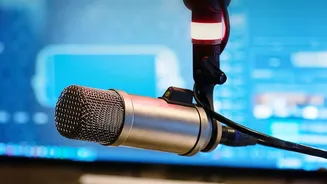
The quality of your AI-generated flashcards starts with the quality of your audio recording. Poor audio with background noise, distance from the speaker, or muffled sound will result in an inaccurate transcript, leading to flawed flashcards. Before you even get to the AI, ensure you can capture clear sound. Sit closer to the front of the lecture hall if possible. Use a dedicated voice recording app on your phone or a digital recorder, as they often have better microphones and noise-reduction features than a standard video recording. Some AI note-taking apps have built-in recording functions that are optimized for transcription.
Step 2: Transcribe the Audio with an AI Tool
Once you have your audio file, the next step is transcription. This is where AI speech-to-text technology does the heavy lifting. You can upload your audio file (formats like MP3, WAV, and M4A are commonly supported) to an AI transcription service or a comprehensive study app. Tools like Otter.ai, NoteGPT, and Audionotes specialize in converting speech to text, often with high accuracy and the ability to identify different speakers. Many of these platforms offer a free tier that provides a certain number of transcription minutes per month, which is often sufficient for a student's core classes. The result is a full text document of your lecture, ready for the final step.
Step 3: Generate Flashcards from the Transcript
With a complete transcript, you can now generate your flashcards. This is where the magic happens. AI platforms analyze the text to identify key concepts, definitions, important dates, and causal relationships. They then automatically format this information into question-and-answer pairs. Some tools, like Mindgrasp, StudyFetch, and NoteHive AI, are specifically designed for this. You can often guide the AI, for instance by asking it to focus on certain themes or specifying the number of flashcards you want. A typical 50-minute lecture might yield 15 to 25 high-quality flashcards, focusing on core concepts rather than minor details.
Step 4: Review, Refine, and Study
AI is a powerful assistant, but it isn't perfect. Always take a few minutes to review the generated flashcards for accuracy. The AI might misinterpret a nuanced point or generate a question that isn’t relevant to your course. This review process is a crucial study step in itself. Edit the cards, rephrase questions into your own words, and delete anything that is incorrect or unhelpful. This act of personalization deepens your understanding and helps commit the material to memory. Once refined, you can study the cards directly within the app or export them to dedicated spaced repetition platforms like Anki.