






From Frustrating to Flawless
Anyone who tried speech-to-text software in the early 2000s likely remembers the experience with a shudder. You had to speak slowly, enunciate perfectly, and spend more time correcting errors than you saved by not typing. The promise was there, but the technology
wasn't. That has completely changed. Modern dictation tools, powered by sophisticated artificial intelligence and machine learning, now boast accuracy rates of 95% to 99% in many conditions. These systems learn from vast datasets of human speech, allowing them to understand various accents, filter background noise, and even grasp context. The technology that powers a simple voice message on your phone is now robust enough for professional use, turning what was once a novelty into a serious productivity engine.
It's More Than Just Speed
The most obvious benefit of dictation is speed. The average person speaks at around 120-150 words per minute, while the average typing speed is a mere 40 words per minute. This means you can capture your thoughts three to four times faster by speaking than by typing. Over a year, this can add up to reclaiming weeks of work time. But the true productivity story goes deeper. Dictation reduces the cognitive load associated with writing. When you type, your brain is multitasking: juggling ideas, sentence structure, spelling, and the physical act of finding keys. By speaking naturally, you offload the mechanical parts of writing to the software, freeing up mental energy to focus purely on your ideas. This often leads to a more natural flow of thought and more complete first drafts.
A Tool for Every Professional
The applications for high-accuracy dictation span across numerous industries. For doctors and lawyers, who are often burdened with extensive documentation, it can dramatically reduce time spent on paperwork. Instead of typing up patient notes or case briefs after hours, they can dictate them between appointments or on the go. Writers and journalists can use it to quickly draft articles or capture interview notes, preventing great ideas from getting lost in the friction of typing. For busy executives, dictating emails and messages can clear their inbox in a fraction of the time. It’s also an essential accessibility tool, empowering professionals with physical limitations or repetitive strain injuries to remain productive.
How to Get Started
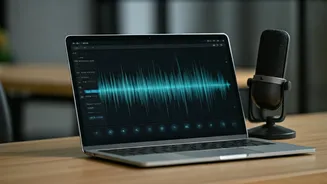
The best part is that you likely already have access to powerful dictation tools. Modern operating systems like Windows and macOS, as well as smartphone keyboards like Gboard and Apple's iOS keyboard, have highly capable voice typing built-in. For basic tasks, these are more than sufficient. For those in specialised fields, dedicated software like Dragon Professional offers custom vocabularies for legal or medical terminology. To achieve the highest accuracy, a few simple steps can make a big difference. Use a decent microphone—even an inexpensive USB mic is often better than your laptop's built-in one. Try to minimise background noise and speak at a clear, natural pace. You'll also need to get used to speaking your punctuation, such as saying "comma" or "full stop." With a little practice, it quickly becomes second nature.