





The Science of the Slump
To understand why your chair matters so much, you first need to understand your spine. It has a natural S-shaped curve that helps distribute pressure evenly. When you sit for long periods, especially without proper support, your pelvis can tilt backward,
flattening the natural curve in your lower back. This slumped, C-shaped posture puts significant strain on your spinal ligaments and discs. Over time, this static load leads to muscle fatigue, reduced blood flow, stiffness, and chronic pain. An ergonomic chair is designed to support that natural S-curve, but it's not a magic bullet. It’s a tool that requires precise, personal calibration to be effective. A few simple adjustments can transform your chair from a source of pain into a foundation for a healthy back.
Foundation First: Seat Height and Depth
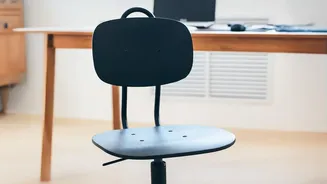
Everything starts with your feet. The first and most crucial adjustment is your chair's height. Adjust the seat so your feet rest flat on the floor, with your thighs roughly parallel to it. Your knees should be at about a 90-degree angle, or even slightly below your hips. If your feet are dangling, it puts pressure on the back of your thighs and can affect circulation; if your knees are too high, it will cause your lower back to round. Next, adjust the seat depth. Sit all the way back in your chair so your lower back is touching the backrest. There should be a small gap, about two to three fingers' width, between the front edge of the seat and the back of your knees. This ensures your thighs are fully supported without the seat edge digging into your calves or restricting blood flow.
The Key to Comfort: Lumbar and Backrest Support
This is the most critical adjustment for lower back health. The lumbar support—the curve in the chair's back—should fit snugly into the natural curve of your lower back, generally around your belt line. Whether it's a built-in adjustable feature or a separate cushion, its job is to prevent you from flattening your spine as you sit. It shouldn't push you forward but should feel like a firm, gentle support that helps you maintain your posture effortlessly. The backrest itself should also be adjusted. While many people believe sitting perfectly upright at 90 degrees is ideal, research suggests that a slightly reclined posture of 100-110 degrees can actually reduce pressure on your spinal discs. The goal is to find a supportive angle where you can rest against the backrest comfortably.
Take a Load Off: Armrest and Shoulder Position
Armrests are often overlooked, but they play a vital role in reducing strain on your neck and shoulders. Adjust the armrests so that your shoulders are relaxed and your elbows are bent at a comfortable angle, typically around 90 degrees. Your arms should rest gently on the supports without causing your shoulders to hunch up toward your ears. The armrests should be close enough to your body that you don't have to reach outwards. When positioned correctly, they take some of the weight off your upper spine and prevent the muscle tension in your shoulders and neck that often accompanies long hours at a desk.
Beyond the Chair: The Full Ergonomic Picture
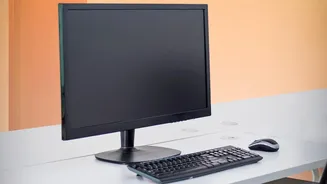
A perfectly adjusted chair is only one piece of the puzzle. Your entire workstation needs to work in harmony. Your computer screen should be positioned at arm's length, with the top of the monitor at or just below eye level to keep your neck in a neutral position. If you're using a laptop, a separate keyboard and mouse are essential to avoid hunching. Most importantly, remember that even the best ergonomic setup can't replace the need for movement. Prolonged static posture is a primary cause of musculoskeletal issues. Make a habit of getting up, stretching, and walking around for a few minutes every hour. Your back will thank you.