





What is a Tax Challan?
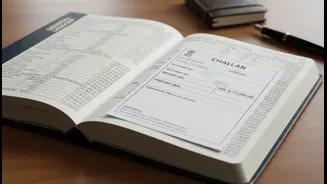
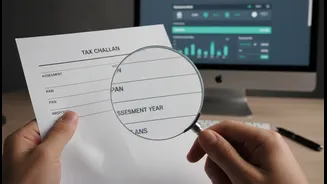
Think of a tax challan as an official receipt from the Income Tax Department. It's a form used to deposit various types of taxes with the government, whether you do it online or at a bank. Every time you pay self-assessment tax, advance tax, or TDS (Tax
Deducted at Source), a challan is generated. The most common one for individual taxpayers is Challan 280. This document contains critical details like your PAN, the assessment year you're paying for, the amount paid, and the date of payment. It functions as definitive proof that you have paid your taxes, and the information on it must be perfectly accurate for your ITR to be processed smoothly.
Why This Verification is Non-Negotiable
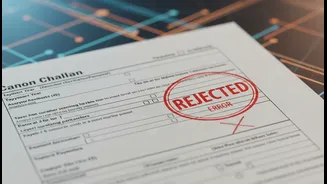
Ignoring your tax challans is a risk that isn't worth taking. An error in a challan, such as selecting the wrong assessment year, can lead to a serious discrepancy. The tax you paid might not reflect against your name for the correct year, leading to a situation where the tax department's records show an outstanding demand, even though you have paid. This can trigger automated notices, delay your income tax refund, or even lead to penalties for underreporting income. Verifying that the tax you've paid has been correctly recorded by the government is essential for claiming the right tax credits and ensuring a hassle-free filing experience.
Reconciling with Form 26AS and AIS
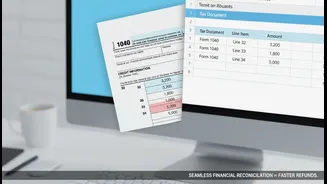
Your tax challan doesn't exist in a vacuum. It's part of a trio of documents you must check. The other two are Form 26AS and the Annual Information Statement (AIS). Form 26AS is your tax passbook, consolidating all tax deducted and deposited against your PAN, including the taxes you paid yourself via challans. The AIS is even more comprehensive, providing a full view of your financial transactions reported to the tax department, from salary and interest income to share transactions. Before filing, you must ensure that the tax payments shown in your challans are correctly reflected in both your Form 26AS and AIS. Any mismatch is a red flag that needs to be addressed immediately.
How to Check Your Challan Status
Verifying your challan status is straightforward. You can do it online through the Income Tax e-filing portal or the OLTAS (Online Tax Accounting System) on the TIN-NSDL website. You will typically need the Challan Identification Number (CIN), which includes the bank's BSR code, the date of deposit, and the challan serial number, all found on your challan counterfoil. By entering these details, you can confirm that the payment has been received and correctly recorded by the tax department. You can also do a TAN-based search for a specific period to see all challans linked to your Tax Deduction Account Number.
Found a Mistake? Here Is How to Fix It
If you spot an error, don't panic. The Income Tax Department provides a mechanism for challan correction. As of August 2023, taxpayers can submit an online correction request through the e-filing portal for certain errors, such as a wrong Assessment Year or tax payment category (major/minor head). To do this, you log in to the portal, navigate to 'Services' and then 'Challan Correction'. This facility is available for challans from Assessment Year 2020-21 onwards. However, there's a time limit; for instance, a correction for the Assessment Year must typically be requested within 7 days of the challan deposit. If the window for online correction has passed or the error is more complex, you may need to contact your bank or the jurisdictional Assessing Officer.