





Why That Little Number Matters
That small sticker or metal plate bearing the model number is the single most important identifier for your appliance. It's more than just a random string of letters and numbers; it's the key to efficient troubleshooting, accurate repairs, and even your family’s
safety. When a part fails, having the exact model number allows you to order the correct replacement, avoiding the costly and wasteful process of trial and error. Repair technicians can arrive better prepared if you provide the model number when you book a service call. Furthermore, manuals contain crucial safety warnings and operating instructions designed to prevent injury or equipment damage. Keeping the manual linked to this number ensures you can access this information instantly. Finally, should you decide to sell your home or the appliance itself, providing the original manuals and documentation adds value and demonstrates a well-maintained product.
The Hunt for Your Appliance's Identity
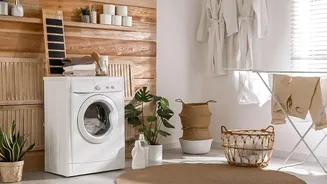
Before you can organize your manuals, you first need to find the model and serial numbers. Manufacturers place these tags in various, sometimes hidden, locations. A good first step is to take a clear photo of the tag once you find it. For refrigerators, check the interior walls, ceiling, or behind the crisper drawers. Some are located on the frame behind the kick plate at the bottom. For ovens and ranges, the most common spot is along the frame of the oven door or on the side of the bottom drawer when pulled out. Dishwasher model numbers are almost always found on the side or top edge of the door itself. With washing machines and dryers, look at the back of the unit or on the inside of the door or lid. While it might take a moment of searching, locating this number is the critical first step.
Ditch the Drawer for Digital
The days of the overflowing “junk drawer” filled with paper manuals are over. A digital system is infinitely more efficient, searchable, and accessible from anywhere. The simplest method is to use a cloud storage service you already have, like Google Drive or Dropbox. Create a main folder called “Appliance Manuals.” Most manufacturers offer PDF versions of their manuals on their websites. A quick search for the brand and exact model number will usually lead you to a downloadable file. Once you have the PDF, the key is to name it clearly before saving it. A consistent format like “Brand_Appliance_ModelNumber_Manual.pdf” (e.g., “Whirlpool_Dishwasher_WDF520PADM_Manual.pdf”) makes searching your digital folder effortless. This small step ensures you can find the right file in seconds, even years later.
Build a Foolproof System
To truly solve this problem for good, integrate manual management into your routine for every new purchase. The moment a new appliance is installed, make it a habit to find the model number tag and take a photo of it. Next, go online and download the digital manual and the warranty information. Save these files in your dedicated cloud folder with your clear naming system. For an even more advanced setup, consider a home management app. Apps like Centriq or Home Hub are designed specifically for this purpose; you enter the model number, and the app often automatically pulls the correct manual, warranty details, and even maintenance reminders. Some apps allow you to store everything from paint colours to filter sizes, creating a complete digital twin of your home's important data. This creates a centralised, searchable database for your entire home.
A Place for Paper (If You Must)
While a digital-first approach is recommended, some people simply prefer having a physical copy. If you fall into this category, the goal is still organization, not accumulation. Instead of a messy pile, invest in a single 3-ring binder with plastic sheet protectors and dividers. Create categories that make sense to you, such as “Kitchen,” “Laundry,” and “Outdoor.” When you file a manual, write the purchase date on the cover and slip the receipt or warranty card into the sleeve with it. This keeps all related documents for a single appliance together. Purge the binder whenever you replace an appliance to keep it from becoming another source of clutter. This method is bulkier than a digital system but far superior to a disorganized box in the garage.