




Your Digital Window to the Universe
The biggest challenge for any city-based astronomer is light pollution. Streetlights, buildings, and general urban glow can wash out all but the brightest celestial objects. This is where smartphone apps have revolutionised backyard stargazing. These
powerful planetariums use your phone's built-in GPS and compass to know exactly where you are and which way you're pointing. When you hold your phone up to the sky, the app displays a real-time, labelled map of the stars and planets in front of you. For beginners, this technology is a game-changer, removing the guesswork and making the vastness of space instantly accessible and easy to navigate.
Choosing Your Astronomy App
There is a galaxy of stargazing apps available, but a few stand out for their user-friendly design and powerful features, even in their free versions. Star Walk 2 is widely recommended as a great option for beginners due to its beautiful visuals and intuitive interface. SkyView Lite is another excellent choice, praised for its simple point-and-identify functionality using augmented reality (AR), which overlays star and planet information onto your camera's view of the sky. For those wanting a highly realistic depiction of the night sky, Stellarium Mobile offers a free version that is a favourite among both amateurs and seasoned astronomers. Many of these apps are free to download, so you can try a few to see which one you prefer.
Setting Up for a Successful Sighting
Before you start your hunt for Jupiter, take a moment to prepare. First, ensure your chosen app has permission to access your phone's location. This is crucial for the map to align with your sky. Most apps calibrate automatically, but you may need to move your phone in a figure-eight pattern if the view seems off. Next, prepare your viewing spot. Turn off any lights on your balcony or in the adjacent room to reduce immediate glare. Finally, give your eyes time to adjust to the darkness. It takes about 15-20 minutes for your vision to become sensitive enough to pick out fainter objects. Avoid looking at your bright phone screen; many apps include a red-light mode, which helps preserve your night vision.
The Hunt for Jupiter
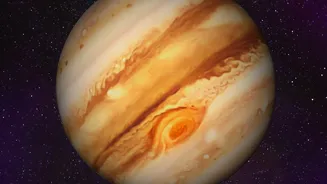
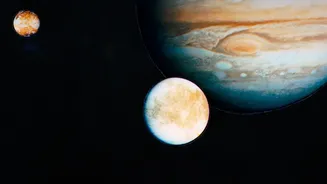
Now for the exciting part. In September 2026, Jupiter is a prominent morning object, rising several hours before the Sun. To find it, open your app and use the search feature. Type in "Jupiter" and an arrow will likely appear on the screen, directing you to move your phone toward the planet's location. As you pan your device across the sky, follow the arrow until Jupiter is centred on your screen. Now, lower your phone and look in that same direction. You should see a bright, steady point of light. Unlike stars, which twinkle, planets tend to shine with a more constant glow because they are closer to us. What you're seeing is the largest planet in our solar system, a gas giant hundreds of millions of kilometres away.
What to Expect and What's Next
From a city balcony and without a telescope, Jupiter will appear as a very bright, star-like object. You won't be able to see its famous Great Red Spot or its cloud bands, but the simple act of identifying another world with your own eyes is a thrill. Some apps allow you to use a 'time travel' feature to see where planets will be on different dates and times, which is great for planning future viewing sessions. On the mornings of September 8th and 9th, 2026, the crescent Moon will be positioned near Jupiter, providing a helpful natural signpost. Once you've found Jupiter, use your app to find other celestial neighbours. Saturn is also visible this month, and spotting it is just as easy.