








The Global Rise of Indian Payments
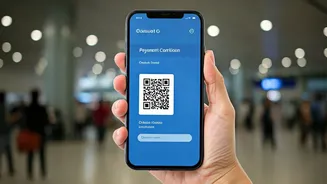
India's Unified Payments Interface (UPI) has rapidly expanded its global footprint. As of 2026, Indian travellers can use familiar apps like PhonePe, Google Pay, and Paytm to make QR code payments in a growing list of countries, including the UAE, Singapore,
France, Nepal, and Bhutan. This system allows you to pay merchants directly from your Indian bank account, with the app handling the currency conversion. Before you travel, you will need to activate the 'UPI International' feature within your payment app for the bank account you wish to use. The process is simple and usually just requires a few taps and your UPI PIN for confirmation. This convenience means less reliance on carrying large amounts of foreign currency or juggling multiple forex cards. However, the experience isn't always seamless. While countries like Bhutan and Singapore boast high success rates, merchant adoption in others can be patchy. It's a convenient supplement to your travel wallet, but not yet a complete replacement.
Understanding the Risks: Quishing and Fake Codes
The primary risk with QR code payments, both at home and abroad, is a type of fraud called 'quishing'—short for QR code phishing. Scammers exploit the convenience of QR codes by replacing legitimate ones with their own fakes. This is often done by pasting a fraudulent sticker over the real QR code on a parking meter, restaurant table, or a merchant's counter. When you scan the malicious code, it might take you to a convincing but fake payment website designed to steal your financial details or login credentials. Another trick is a code that redirects the payment to the scammer's account instead of the merchant's. Because the transaction happens so quickly and the code itself reveals no information until scanned, it's easy to approve a fraudulent payment if you're not paying close attention.
Your Calm Verification Checklist
The good news is that staying safe is straightforward. It doesn't require technical expertise, just a few seconds of mindful checking before you enter your PIN. First, physically inspect the QR code. Does it look like a sticker placed over another one? Is it peeling or tampered with? If anything seems off, avoid scanning it. After scanning, your UPI app will show you the merchant's name before you complete the payment. This is the most critical verification step. Take a moment to confirm that the name displayed on your phone screen matches the name of the shop or restaurant you are in. Your app will also display the amount in the local currency and its equivalent in Indian Rupees. Verify that this amount is correct. Only after confirming the merchant's name and the transaction amount should you enter your UPI PIN to authorize the payment.
Dynamic vs. Static Codes
You will encounter two types of QR codes: static and dynamic. A static QR code, often a simple sticker, just contains the merchant's payment ID. After scanning it, you have to manually enter the amount you need to pay. A dynamic QR code is generated for each specific transaction, usually on a screen at the checkout counter. This code already contains both the merchant's details and the exact payment amount. Dynamic codes are generally more secure as they are transaction-specific and time-sensitive, making them difficult for fraudsters to misuse. Regardless of the type, the core verification principle remains the same: always check the merchant name and amount on your app's confirmation screen before proceeding.
What to Do if a Payment Fails
Sometimes a transaction might fail, but the amount still gets debited from your account. This can be stressful, especially when you're abroad. Don't panic. Many failed international transactions are automatically reversed within 24 to 48 hours. If this happens, do not attempt the payment repeatedly, as this could lead to duplicate charges. Instead, immediately check the transaction status in your UPI app and note down the UTR (Unique Transaction Reference) number. If the money isn't reversed automatically, you'll need this information to raise a dispute with your bank or through the payment app's customer support. While resolving these issues can sometimes take longer than domestic disputes, having the transaction details ready will make the process smoother. It is always wise to carry a backup payment method like a forex card or some cash for such situations.