



The Battle Between Your Eyes and the Screen
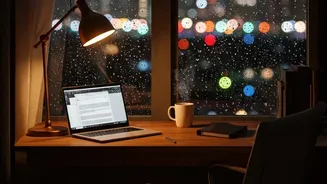
When you look at an intensely bright screen, especially in a dimly lit room, your eyes are forced into a constant state of adjustment. Your pupils constrict to limit the amount of light coming in, a natural defense mechanism. However, maintaining this
constriction for long periods is taxing on the tiny muscles in your eyes. This continuous effort is a primary driver of eye strain, which can manifest as a feeling of tiredness, soreness, or heaviness in the eyes. The problem is made worse when you look away from the screen into the darker room, forcing your pupils to dilate, only to constrict again when you look back. This cycle of adjustment is a significant source of visual fatigue.
It’s All Relative: Ambient Light Matters
The ideal screen brightness is not a fixed number; it's about matching the luminance of your screen to the environment around you. Think of your screen as a piece of paper. In a well-lit room, you want the white background of a document to have about the same brightness as a sheet of white paper held up next to it. If your screen glows like a light source, it's too bright. If it looks grey and dull, it's too dim. A screen that is much brighter than its surroundings creates harsh contrast, forcing your eyes to work harder every time they move, leading to headaches and discomfort.
Digital Eye Strain is a Real Condition
That collection of symptoms you feel after a long day of screen time has a name: Digital Eye Strain, or Computer Vision Syndrome (CVS). It’s a group of eye and vision-related problems that result from prolonged use of digital devices. Symptoms are not just limited to tired eyes; they can include headaches, blurred or double vision, dry and itchy eyes, and even neck and shoulder pain from poor posture as you lean in to see a poorly adjusted screen. Excessive brightness is a major contributing factor, as it can create glare and force your eyes into a state of constant, fatiguing focus.
The Blue Light Factor
Brighter screens emit more of all types of light, including high-energy visible (HEV) light, commonly known as blue light. While current research hasn't proven that blue light from devices causes permanent eye damage, it is linked to visual fatigue and sleep disruption. Blue light scatters more easily than other light, which can make it harder for the eyes to maintain sharp focus, leading to strain. More significantly, exposure to blue light, especially in the evening, can suppress the production of melatonin, the hormone that regulates your sleep cycles. This can make it harder to fall asleep and reduce sleep quality, leaving you feeling less alert the next day.
How to Find Your 'Just Right' Brightness
Instead of defaulting to maximum brightness, take a moment to adjust your screen for comfort. The goal is to match your screen to your surroundings. In a typical office, a brightness setting of 30–50% is often sufficient. Many devices now have auto–brightness features that adjust the screen based on ambient light, which can be a great starting point. For evening work, activate 'Night Mode' or a blue light filter. These settings reduce blue light and shift the screen to a warmer color temperature, which is gentler on the eyes in the dark. And don't forget the 20–20–20 rule: every 20 minutes, take a 20–second break to look at something 20 feet away. This simple habit gives your eye muscles a much–needed rest.