







From Manual Drudgery to Automated Flow
For decades, the process of creating a presentation from a document has been a tedious, manual chore. Professionals in India and across the globe would spend hours painstakingly copying text from a PDF or Word file, pasting it onto a blank slide, and then
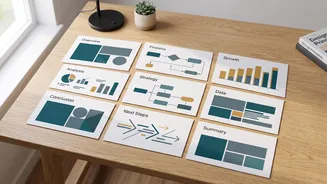
wrestling with formatting to make it look presentable. This multi-window, multi-click process is not just time-consuming; it's a drain on creativity and focus. The result is often a functional but uninspired slide deck, with more time spent on layout than on the message itself. Enter AI. The new generation of design tools flips this script entirely. Instead of you serving the software, the software serves you. These platforms promise to eliminate the grunt work, transforming a task that took hours into one that takes minutes. The core idea is simple: you provide the content in a structured document, and the AI handles the design and layout, generating a complete, ready-to-refine presentation.
The Magic Behind the Curtain
This isn't just a simple copy-and-paste automation. The AI isn't merely grabbing text chunks. It leverages Natural Language Processing (NLP) to understand the structure and hierarchy of your document. When you upload a well-formatted PDF outline, the AI identifies titles, main headings (H1, H2), and bullet points. It interprets these as cues for creating a logical slide structure: a title becomes a title slide, a main heading becomes a new slide title, and the bullet points under it become the slide's body content. This semantic understanding is what separates AI tools from older, more rigid templates. Some advanced tools, like Microsoft's Copilot, can even extract key insights and showcase them in an ideal layout, saving hours of editing. The AI essentially acts as a design assistant that has read and understood your document before starting its work.
Meet Your New AI Design Assistants
Several platforms are leading the charge in this space, each with a slightly different approach. Tools like Gamma and Presentations.AI allow you to upload a document or paste text, after which they propose a structure and generate a full deck. Gamma is known for its web-first, visually engaging card-style presentations, while Presentations.AI excels at creating professional, brand-consistent decks that can be exported directly to PowerPoint. Other tools, such as ChatPDF and Beautiful.ai, also offer robust PDF-to-presentation features. With these tools, you upload your PDF as context, and the AI builds a slide-by-slide outline from its contents, which you can then edit and approve before the final slides are generated.
Garbage In, Garbage Out
The success of this process hinges on one crucial factor: the quality of your input document. AI is powerful, but it can't read your mind. For the best results, your PDF outline should be clean and logically structured. Use clear and consistent heading styles (e.g., Heading 1 for slide titles, Heading 2 for sub-points). Keep bullet points concise and to the point. Remove extraneous information, like long, dense paragraphs or unnecessary images, before you upload the file. Think of it as providing a clear blueprint for the AI to follow. A well-organized source document will result in a well-organized presentation, while a messy document will lead to a confusing and poorly structured slide deck. The more effort you put into creating a clean outline, the less time you'll spend editing the final output.
The Human Touch Is Still Key
A common fear with AI is the loss of creative control. However, these tools are designed to be collaborators, not replacements. The AI-generated deck is best viewed as a powerful first draft, not a finished product. Once the initial slides are created, you have full control to refine and customize them. You can edit text, swap out images, change the theme to match your company's branding, and reorder or merge slides as you see fit. The AI handles the 80% of the work that is tedious and repetitive, freeing you to focus on the 20% that requires your unique expertise: refining the narrative, sharpening the key messages, and ensuring the presentation will resonate with your specific audience.