






Beyond Simple Transcription
For years, the best we could hope for from a voice note was a clunky, often inaccurate text transcription. It was a digital version of jotting on a napkin—better than nothing, but it still required you to manually decipher your own rambling thoughts,
identify the actual to-dos, and transfer them into a project management app or calendar. This created more administrative work, defeating the purpose of a quick-capture system. The new wave of advanced AI assistants represents a fundamental leap forward. They don't just hear your words; they understand your intent. Instead of a raw block of text, you get a structured, actionable output—a neatly formatted task list, a calendar event, or even a drafted email, all extracted from a single, spoken memo.
How the Magic Actually Works
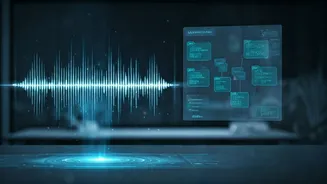
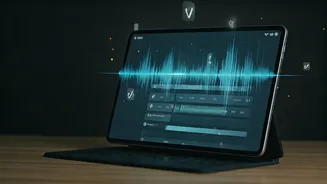
This seemingly magical process happens in a few near-instant steps, powered by sophisticated artificial intelligence. First, the app captures your voice and uses an advanced speech-to-text engine to create a highly accurate transcription. This is where older technology used to stop. Now, the AI applies Natural Language Processing (NLP) to analyze the grammar and context of your sentences. It’s trained to identify key 'trigger' phrases and concepts. When you say, “Remind me to call Rohan tomorrow about the quarterly report,” the AI identifies the action ('call Rohan'), the subject ('quarterly report'), and the deadline ('tomorrow'). It then intelligently parses this information and converts it into a structured format, such as a task with a due date in your to-do list app. Some tools can even assign tasks to specific projects or add relevant notes you mentioned in the same breath.
A Productivity Revolution in Your Pocket
The implications for personal and professional productivity are enormous. This technology effectively closes the gap between thought and action. Think of the professional commuting in Mumbai traffic or the entrepreneur walking through a factory floor; ideas and obligations pop up constantly. The friction of stopping, typing, and organizing is often enough to let a brilliant idea slip away. By simply speaking into your phone, you can now delegate tasks to your digital self. This drastically reduces the mental load of trying to remember everything. Your mind is freed up to focus on bigger-picture thinking, knowing that the small but crucial details are being captured and organized automatically. It’s like having a personal assistant on call 24/7, ready to turn your stream of consciousness into a coherent action plan.
Key Players and Features to Look For
This capability is appearing in two main forms. First, as a core feature in established productivity suites. Giants like Notion and Asana are integrating AI that can sift through meeting transcripts (which can be fed by voice notes) and suggest action items. Second, a new category of dedicated apps has emerged, built specifically for this 'voice-to-task' workflow. Apps like AudioPen or Mem are designed to take voice input and not just transcribe it, but also summarise, rephrase, and tag it intelligently. When evaluating a tool, look for more than just transcription accuracy. Ask yourself: Does it integrate with my existing calendar or to-do list (like Todoist or Google Tasks)? Can it understand context and deadlines? Does it offer summarization features? The best tools are those that slot seamlessly into your current system, rather than creating yet another information silo.
Tips for Making It Work for You
To get the most out of these AI assistants, a few best practices can make a world of difference. First, speak as clearly as you can. While the tech is good, it’s not infallible, and mumbling will reduce accuracy. Second, try to be direct. Start your sentences with action verbs. For instance, instead of saying, “I should probably think about that client proposal,” try a more direct, “Task: Draft the client proposal for next Tuesday.” Many AIs are programmed to respond to these kinds of explicit triggers. Finally, build a habit. Set aside a few minutes at the end of the day to review the tasks your AI has captured. This helps you build trust in the system and allows you to refine, prioritize, and ensure nothing important has been misinterpreted. The goal is to make the process a natural extension of your workflow.