






Rule 1: Master Your Chair Height and Angle
The foundation of an ergonomic setup is your chair. Your goal is to create a series of 90-degree angles. Adjust your chair so your feet rest flat on the floor, with your knees bent at roughly a 90-degree angle and level with or slightly below your hips.
If your feet dangle, use a footrest or even a stack of sturdy books to bring the floor up to you. Your elbows should also be at a comfortable 90-degree angle when your hands are on the keyboard. This alignment prevents you from slouching and takes significant pressure off your lumbar spine, which is the primary source of lower back pain for many desk workers.
Rule 2: Give Your Lower Back Support
Most chairs, especially dining chairs repurposed for work, lack proper lumbar support. Your lower spine has a natural inward curve, and failing to support it forces your muscles to work overtime, leading to fatigue and pain. An ergonomic chair is ideal, but you can create an effective and fast solution yourself. Simply roll up a towel or grab a small cushion and place it in the small of your back. This simple prop encourages your spine to maintain its natural 'S' curve, immediately reducing strain and improving your posture throughout the day. Sit all the way back in your chair so your lower back makes full contact with the support.
Rule 3: Position Your Monitor at Eye Level
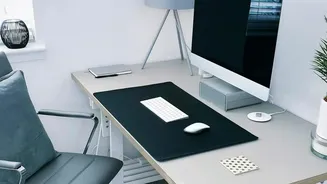
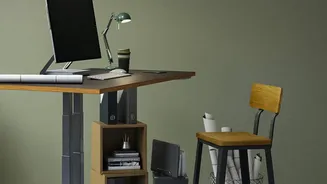
If you're constantly looking down at a laptop or a low monitor, you're putting immense strain on your neck and upper back, which can radiate down to your lower back. Your monitor should be positioned directly in front of you, about an arm's length away. The top of the screen should be at or just slightly below your eye level. This allows you to keep your head, neck, and torso aligned. To achieve this without buying new equipment, use a stack of books, a sturdy box, or a dedicated laptop stand to raise your screen to the correct height. If you use a laptop, it's best to use an external keyboard and mouse so you can position the screen and keyboard independently.
Rule 4: Align Your Keyboard and Mouse
Reaching for your keyboard or mouse can cause you to lean forward and twist, undoing all your good postural work. Keep your keyboard and mouse close to you on the same surface. Your keyboard should be positioned so that your wrists can remain straight and your elbows are bent at that comfortable 90-degree angle, close to your body. Your forearms should be roughly parallel to the floor. This neutral position prevents strain not only in your wrists but also in your shoulders and upper back, which are connected to your lower back's support system.
Rule 5: Remember That the Best Posture Is Your Next Posture
Even the most perfect ergonomic setup can't beat the human body's need for movement. Sitting in one position for prolonged periods, even a good one, reduces blood flow and puts stress on your muscles. The fastest way to find relief from discomfort is to change your position. Set a timer to remind yourself to stand up, stretch, or walk around for a few minutes every hour. Simple actions like arching your back, rolling your shoulders, or just walking to the kitchen for water can decompress your spine and prevent stiffness from setting in. Alternating between sitting and standing, if possible, is another excellent strategy for keeping your back healthy.