



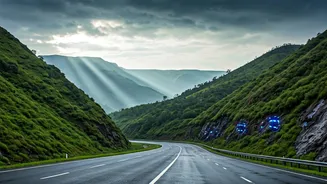


The Monsoon's Treacherous Beauty
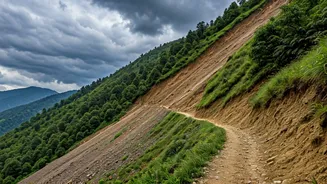
The Western Ghats, a UNESCO World Heritage Site, are a jewel of biodiversity. Yet their steep slopes and the intense rainfall of the Southwest Monsoon make them highly susceptible to landslides. Every year, from June to September, heavy downpours saturate
the earth, increasing the risk of sudden landslips that can block major highways like the Mumbai-Goa or Bengaluru-Mangaluru routes for days. Relying on visual cues or last-minute news reports is often too late. A proactive approach using technology is no longer a luxury; it’s a necessity for anyone living in or travelling through these areas during the rainy season.
Official Government Alert Apps
The Government of India, through agencies like the NDMA and IMD, has developed robust systems to deliver timely disaster warnings. Your first step should be to install these official, free applications. **Sachet (NDMA):** Developed by the National Disaster Management Authority, this app provides alerts on a range of disasters, including landslides. It uses your location to send relevant warnings based on the Common Alerting Protocol (CAP) and offers information in both English and Hindi. **Mausam (IMD):** From the Indian Meteorological Department, this app is your go-to for weather forecasts. It provides colour-coded alerts (Red, Orange, Yellow) for severe weather, including the heavy rainfall that often precedes landslides. Checking it before any journey through the ghats is essential.
Enable Your Phone's Built-In Alerts
Beyond apps, your smartphone has a native feature designed for emergency situations. Wireless Emergency Alerts (WEA) allow government authorities to send critical messages to all phones in a specific geographic area, overriding silent mode. **On Android:** Go to Settings > Safety & emergency > Wireless emergency alerts. Ensure all alerts (Extreme threats, Severe threats) are toggled on. The path might slightly differ based on your phone's manufacturer, but it is typically found under Safety or Notification settings. **On iOS (iPhone):** Go to Settings > Notifications. Scroll to the very bottom to the "Government Alerts" section and make sure "Emergency Alerts" and "Public Safety Alerts" are turned on. This is a powerful, passive layer of protection you should activate today.
Follow State and Local Sources
While national apps are essential, state-level agencies often deliver more localized alerts. The Western Ghats span several states, each with its own Disaster Management Authority. For instance, the Kerala State Disaster Management Authority (KSDMA) is known for highly detailed warnings. If you reside in or travel through states like Kerala, Karnataka, Maharashtra, or Goa, make it a point to find and follow the official website and social media channels of that state’s disaster authority. Similarly, follow the official X (formerly Twitter) handles of local traffic police departments for real-time updates on road closures and alternative routes.
What to Do When an Alert Arrives
Receiving a landslide alert requires a calm, decisive reaction. First, do not ignore it. Read the alert carefully to understand the location and severity of the threat. If you are driving, find a safe place to pull over, away from steep slopes, trees, or power lines. Do not attempt to cross a road that is covered in debris or flowing water. Use your apps and maps to find an alternative route or, if necessary, turn back and wait for conditions to improve. Inform family or friends of your situation and updated travel plans. The alert’s purpose is to give you the time to make a safer choice.