





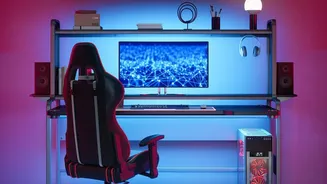

Your Chair: The Ergonomic Foundation
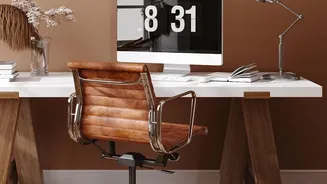
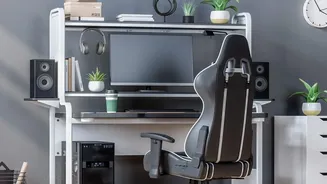
The single most important investment for your home office is a proper, adjustable chair. Working for hours on a dining chair or sofa can lead to significant back pain and musculoskeletal issues. An ergonomic chair should support the natural curve of your lower
back. Adjust the height so your feet rest flat on the floor with your thighs roughly parallel to it. Your knees should be at about a 90-degree angle. Armrests should be set so your shoulders are relaxed and your elbows can rest comfortably, also near a 90-degree angle. The goal is to maintain a supported, neutral posture, not to sit rigidly upright for eight hours. A good chair promotes movement and posture variation.
Screen Position: Avoid Neck and Eye Strain
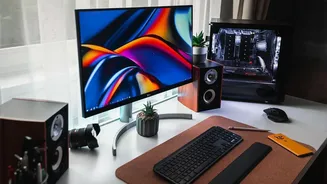
Hunching over a laptop is a primary cause of neck and shoulder pain. The top of your monitor should be at or slightly below eye level. This ensures your head remains in a neutral, forward-facing position. The screen should be about an arm's length away from you. If you use a laptop as your main computer, it's almost impossible to achieve this without help. Invest in a laptop stand or even a stack of sturdy books to elevate the screen. To complete the setup, you will need an external keyboard and mouse, which allows you to position your screen correctly while keeping your arms in a comfortable typing position.
Keyboard and Mouse: Reclaim Your Wrists
Using your laptop's built-in trackpad and keyboard for extended periods forces your wrists and shoulders into unnatural positions. An external keyboard and mouse are essential for a healthy setup. Position your keyboard so that your elbows are bent at roughly 90 degrees and close to your body. Your forearms, wrists, and hands should be in a straight, neutral line, parallel to the floor. Some people find a padded palm support helpful, but be sure to rest your palms on it, not your wrists, as pressure on the wrist can increase strain in the carpal tunnel.
Lighting: More Than Just Seeing Clearly
Inadequate lighting can lead to eye strain, headaches, and fatigue. The best setup involves layered lighting. Maximize natural light where possible by placing your desk perpendicular to a window, not directly in front of or behind it, to reduce glare. Supplement this with good ambient light from a ceiling fixture and, most importantly, dedicated task lighting. An adjustable desk lamp allows you to direct focused light onto your documents or keyboard, reducing shadows and preventing your eyes from working too hard. Choose bulbs with a neutral white light for working hours.
Movement: Your Best Defense Against Strain
Even the perfect ergonomic setup is no match for a static posture held for hours. The best posture is your next posture. It is crucial to change your position frequently throughout the day. Set a timer to get up and walk around for a few minutes every hour. Incorporate simple stretches for your neck, shoulders, and wrists. A simple and effective habit is the 20-20-20 rule: every 20 minutes, look at something at least 20 feet away for 20 seconds. This simple break gives your eyes a chance to refocus and reduces visual fatigue.
Organization: A Clear Desk for a Clear Mind
A cluttered workspace can lead to a cluttered mind, hindering focus and productivity. Keep frequently used items within easy reach to avoid twisting and over-extending. Use desk organizers, file cabinets, and shelving to give everything a home. This is not just about physical tidiness; it’s about creating psychological boundaries. A dedicated, organized workspace helps signal to your brain that it's time to work, and clearing it at the end of the day helps you disconnect and transition back into your home life. This separation is vital for preventing remote work burnout.